Solved Problem with PAP2 after upgrading from V15.5 to V16.

Status
Not open for further replies.

Rob59

Free User
Joined
Sep 8, 2018
Messages
24
Reaction score
2
Hi!

I upgraded from latest V15.5 to V16. It all went well but my local PAP2 does not connect to 3CX anymore. Several other phones in the system (Cisco ip phones) do connect, as well as a remote Android phone with the 3CX client installed.

Uninstalled V16 and reinstalled V15.5 and the PAP2 connected again.

Wonder if someone has any suggestions?

Rob.
 
Hi Rob,

Just as a test after the upgrade go into security - security settings and turn off secure SIP and test that.
 
Hi Rob,

Just as a test after the upgrade go into security - security settings and turn off secure SIP and test that.
Thanks for the suggestion! :) I will try next time I do the V16 upgrade.
 
Hi Rob,

Just as a test after the upgrade go into security - security settings and turn off secure SIP and test that.

I just tested this suggestion and it did not help. Any other suggestions while I still have V16 installed? Any log file I could check?
 
Hi Rob,

Sorry should have read your question properly, i would say without restoring 15.5 and getting the password would be factory resetting the device and re-provisioning
 
Hi Rob,

Sorry should have read your question properly, i would say without restoring 15.5 and getting the password would be factory resetting the device and re-provisioning
The PAP has to be provisioned manually, so that would just leave me entering the same data in the PAP unit. I checked the password for the extension in 3CX and in the PAP however, and they are equal. Did several reboots of the PAP as well, rebooted routers and 3CX server, but no connection...
 
Ah, give this a try and turn off secure SIP, security settings - Secure SIP tab and uncheck the box, see if that helps.------

Sorry i have already suggested that...... i though i was responding to something else....
 
  • Like
Reactions: Rob59
Check if not in blacklist due to failed tries
 
not sure if it can be same as I encountered for SPA3102 which are similar to PAP, but in V16 not sure if alphanumeric password is supported by PAP, so for test edit extension password in 3CX and set IT as only numbers , change it of course on PAP and try to connect if PAP IP is not in blacklist
 
Check if not in blacklist due to failed tries
IP blacklist is empty. Any other list to check? Thanks for the advice. :)
 
not sure if it can be same as I encountered for SPA3102 which are similar to PAP, but in V16 not sure if alphanumeric password is supported by PAP, so for test edit extension password in 3CX and set IT as only numbers , change it of course on PAP and try to connect if PAP IP is not in blacklist
Thanks for the advice. Do you mean Auth. ID or password or both?
 
Password only
 
only password try with only numeric value for test try 12345678
 
Password only
I tried but then 3CX markes the extension with red exclamation sign and requires more secure alpha numeric password.
 
Thats fine you can ignore that for while we test
 
Thats fine you can ignore that for while we test
Okay. Tried a numeric password, entered on both sides, but no connection.
 
can you give details on how is used pap2t ?
is it possible to screen copy sip page with 3cx account (hide sensitives infos)
 
can you give details on how is used pap2t ?
is it possible to screen copy sip page with 3cx account (hide sensitives infos)
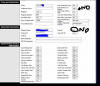
Will this do? It is from the "Line 1" section. The proxy IP is the local ip address of my 3CX system. 14104
 
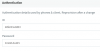
change this for test, in User ID normally this is something alphanumeric and not extension number
14105
 
for example
14106
 
Status
Not open for further replies.

Forum statistics

Threads
111,974
Messages
590,081
Members
164,899
Latest member
mazet