Problem with SBC Installation

Status
Not open for further replies.

itn

Platinum Partner
Basic Certified
Joined
Mar 29, 2020
Messages
17
Reaction score
2
Hi
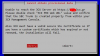
I am trying to install an VM with SBC on debian. When i try to configure with my PBX i recieve the following error after typing web url https://xxx.3cx.gr:5001 & Authentication ID: xxxxxxxxxx
Port forward for 5001 & 5090 works fine on my 3CX.
1586091656125.png
Thanks
John
 
PBX is Debian or Windows? do you use 5001 or 443 on PBX side?
 
Hi
Both is Debian. I use port 5001 on PBX. I found the following error on SBC log files

Bridge failure 'Connection refused' on TCP connection: while sending
 
When you say port forward works fine, does that mean the firewall checker passed? And can you explain more about your setup? Where is your 3CX in relation to the SBC?
 
Hi,
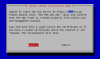
My 3cx & SBC is working as VMs on my server. Both of them use the same on the local network but i have create different outbound for each of them with public IP adresses. I have create rules port forwarding on SBC for 5000 (tcp) 5001(tcp),5060 (udp), 5090 (tcp/udp) & 9000-10999 (tcp/udp). I have also create port forwarding for 3cx 5001 (tcp) & 5090 (tcp/udp). After these settings, when i run setup on sbc (debian), i can insert the web url http://xxx.3cx.gr:5001 but after when i insert the Authentication ID from the SBC SIPTrunks, appeared the error following error
1586109294942.png

Also i have confirm that sbc can resolve my fqdn of 3CX
On SBC ports 5060 & 5090 not working yet because sbc setup not completed
 
So the SBC is on the same network as the 3CX Server, but coming out of a different Public IP? Just to confirm before i swing any hammers???
 
  • Like
Reactions: AWS2P
Do you have your PBX and SBC on same LAN but coming from 2 VMs on same server?
 
  • Like
Reactions: BrenttG
Do you have your PBX and SBC on same LAN but coming from 2 VMs on same server?
I think we are both on the same train of thought here, which is why would you do this?!?!
 
We wrote the same in same time , our mind were connected from high spirit :p ;)
 
  • Love
Reactions: BrenttG
So the SBC is on the same network as the 3CX Server, but coming out of a different Public IP? Just to confirm before i swing any hammers???
Yes i have assign different public ip
 
Why do you need the SBC on the same network as the 3CX server? This is kinda pointless, there is no reason to do this, and it is a waste of resources....
 
I think we are both on the same train of thought here, which is why would you do this?!?!
Just for my lab. Sorry but I am new on 3CX and i need to learn about the SBC setup
 
so connect your SBC to a 4G router to be on different network and you can do your lab in real conditions with a remote SBC in front of a PBX. nothing has to be from an unique network.
 
Just for my lab. Sorry but I am new on 3CX and i need to learn about the SBC setup

OK, this makes more sense, its a test system, then most likely the problem you are having is what we call hairpinning, your SBC cannot go out of your network, and get back into it to get to the 3CX server, you can try to add some special firewall rules to mitigate this, but it would be better to put the SBC elsewhere than with the 3CX server, especially for an accurate test.
 
Thanks all, for you advices. My problem solved after moving my pbx to a different subnet
 
Status
Not open for further replies.

Forum statistics

Threads
111,943
Messages
589,861
Members
164,833
Latest member
Edal