Hello there !
Please make sure the following points have been followed :
1) From Management Console , the Extension has been assigned the Zendesk plugin. When you assign the Zendesk plugin ,then re-provision the 3CXClient.
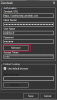
2) From 3CXClient for Windows go to Settings > Advanced Settings > Integration > Zendesk. Authorize the Zendesk plugin and then press Save.
3) Restart 3CXClient
Please make sure that on the 3CXClient for Windows > Settings > Advanced Settings > Integration > General that the Contact Open Mode is set to : "On Ring" or to "On Answer"
If the Zendesk plugin still is not triggering on incoming call , please provide us with some logs. You can find them here :
%appdata%/3CXPhone for Windows/Logs/Zendesk.log
%appdata%/3CXPhone for Windows/Logs/DotNetScriptConfig.log and
%appdata%/3CXPhone for Windows/Logs/DotNetScriptPlugin.log
Regards!