- Joined
- Mar 6, 2020
- Messages
- 4
- Reaction score
- 0
Hello -
I upgraded my 3CX v18 from Windows VM to Debian OS (downloaded from 3CX). During the upgrade process, I was successfully able to restore my backup from my old Windows install to the new Debian Install. From there on, I was able to upgrade Debian and 3CX to V20. Once the v20 was successfully completed, that's where I realized that my System Owner password doesn't work, tried all possible combinations. I also realized that the root owner was not working or removed in v20 (per some post on this forum).
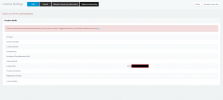
So I scratched that installation VM and started all over again, this time I made sure to reset my System Owner password, took a fresh backup. Now when I try to restore this fresh backup, I am getting this error message "Product cannot be activated because the license key is of a previous version. Upgrade license key or purchase maintenance from https://customer.3cx.com/orderform/default.aspx"
What are my options? Any help/guidance will be much appreciated.
SL
I upgraded my 3CX v18 from Windows VM to Debian OS (downloaded from 3CX). During the upgrade process, I was successfully able to restore my backup from my old Windows install to the new Debian Install. From there on, I was able to upgrade Debian and 3CX to V20. Once the v20 was successfully completed, that's where I realized that my System Owner password doesn't work, tried all possible combinations. I also realized that the root owner was not working or removed in v20 (per some post on this forum).
So I scratched that installation VM and started all over again, this time I made sure to reset my System Owner password, took a fresh backup. Now when I try to restore this fresh backup, I am getting this error message "Product cannot be activated because the license key is of a previous version. Upgrade license key or purchase maintenance from https://customer.3cx.com/orderform/default.aspx"
What are my options? Any help/guidance will be much appreciated.
SL