- Joined
- Mar 10, 2010
- Messages
- 254
- Reaction score
- 10
I know these are outdated. But I'm just trying to see if this thing still works so maybe I can give it away or sell it on the used market.
The current firmware is 7.6.1
I followed the easy instructions but no luck
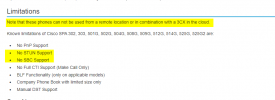
https://www.3cx.com/sip-phones/cisco-spa/
It was provisioned back in the day, and when I turned it on, I could see my old blf's and stuff. But it didn't work of course because our ip/provision URL changed between then and now.
DHCP 66 is setup on our router as well as option 77 exclusively for the cisco (I added option 77 on the cisco phone before 66).
But even if this dhcp wasn't setup, manually entering provision URL in the provisioning tab> Profile Rule: should be sufficient.
I also noticed that a new cfg isn't generated in my provisioning directory, but then again I don't see configs for my yealink phones and those auto provisioned in the past just fine. I don't want to test my luck and nuke a phone for the sake of testing just in case I jinx myself though.
http://myip:5000/provisioning/mle3e9lbnz/$MA.xml
/var/lib/3cxpbx/Instance1/Data/Http/Interface/provisioning/ole7e5lpbg
If I try to visit the provisioning url manually to download a file that does exist, for example phonebook.xml I get this browser error
Secure Connection Failed
An error occurred during a connection to fqdm.3cx.us:5000. SSL received a record that exceeded the maximum permissible length.
Error code: SSL_ERROR_RX_RECORD_TOO_LONG
The page you are trying to view cannot be shown because the authenticity of the received data could not be verified.
Please contact the website owners to inform them of this problem.
The current firmware is 7.6.1
I followed the easy instructions but no luck
https://www.3cx.com/sip-phones/cisco-spa/
It was provisioned back in the day, and when I turned it on, I could see my old blf's and stuff. But it didn't work of course because our ip/provision URL changed between then and now.
DHCP 66 is setup on our router as well as option 77 exclusively for the cisco (I added option 77 on the cisco phone before 66).
But even if this dhcp wasn't setup, manually entering provision URL in the provisioning tab> Profile Rule: should be sufficient.
I also noticed that a new cfg isn't generated in my provisioning directory, but then again I don't see configs for my yealink phones and those auto provisioned in the past just fine. I don't want to test my luck and nuke a phone for the sake of testing just in case I jinx myself though.
http://myip:5000/provisioning/mle3e9lbnz/$MA.xml
/var/lib/3cxpbx/Instance1/Data/Http/Interface/provisioning/ole7e5lpbg
If I try to visit the provisioning url manually to download a file that does exist, for example phonebook.xml I get this browser error
Secure Connection Failed
An error occurred during a connection to fqdm.3cx.us:5000. SSL received a record that exceeded the maximum permissible length.
Error code: SSL_ERROR_RX_RECORD_TOO_LONG
The page you are trying to view cannot be shown because the authenticity of the received data could not be verified.
Please contact the website owners to inform them of this problem.