- Joined
- Apr 23, 2019
- Messages
- 1
- Reaction score
- 0
Hi all,
I have a remote test site, which comprises of just a SBC (Raspbian), a YeaLink T46S (Fimrware: 66.84.0.35) and a Windows 10 laptop.
These devices are all connected to a Cisco switch, which in turn connects to a test FW (also acting as the DHCP server) that has a VPN to the production FW (the FW's are actually locally connected by a copper cable) and finally a cable running from the production FW to a Cisco switch and the VM server acting as the 3CX PBX (v 15.5.15502.6).
Currently I'm struggling to provision the YeaLink. If I take the YeaLink and plug it into the LAN where the PBX is located, I can provision the phone without any issues.
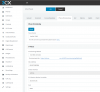
However when I try it through my remote test network, I can see on the PBX GUI under "Phones" the phone appearing as "10.10.96.102:5059 via SBC 10.10.96.101:5060" (Image Phone Visibility attached)
But when I try to Assign Ext > Choose extension number > Check the settings under IP Phone are correct (Image Assign Ext. attached) then click OK, the phone doesn't receive the configuration file.
In terms of troubleshooting, I have:
Any help would be greatly appreciated as I feel like I'm missing something obvious.
Kind regards,
I have a remote test site, which comprises of just a SBC (Raspbian), a YeaLink T46S (Fimrware: 66.84.0.35) and a Windows 10 laptop.
These devices are all connected to a Cisco switch, which in turn connects to a test FW (also acting as the DHCP server) that has a VPN to the production FW (the FW's are actually locally connected by a copper cable) and finally a cable running from the production FW to a Cisco switch and the VM server acting as the 3CX PBX (v 15.5.15502.6).
Currently I'm struggling to provision the YeaLink. If I take the YeaLink and plug it into the LAN where the PBX is located, I can provision the phone without any issues.
However when I try it through my remote test network, I can see on the PBX GUI under "Phones" the phone appearing as "10.10.96.102:5059 via SBC 10.10.96.101:5060" (Image Phone Visibility attached)
But when I try to Assign Ext > Choose extension number > Check the settings under IP Phone are correct (Image Assign Ext. attached) then click OK, the phone doesn't receive the configuration file.
In terms of troubleshooting, I have:
- Performed packet captures on the PBX/SBC/Phone and verify that all 3 devices can communicate with each other.
- Through the YeaLink T46S admin menu, I have set "Only Accept Trusted Certificates" to Disabled as packet captures initially revealed a problem here, but changing this setting had no effect.
- Upgraded SBC to the latest version.
- On the Windows 10 laptop, I can can responses to the FQDN of the PBX. Also using the 3CX downloadable Firewall checker utility tool, I can confirm nothing was being blocked.
- Followed the guides:
- Phone boots up, discovers SBC device.
- SBC acts as a intermediary for the phone, sends provision request to PBX.
- On PBX GUI, user assigns phone to extension.
- Configuration file is sent to phone to provision it.
Any help would be greatly appreciated as I feel like I'm missing something obvious.
Kind regards,