- Joined
- Aug 1, 2019
- Messages
- 14
- Reaction score
- 0
Hi there,
I run a 3CX lab and I try to provision a T41S phone.
I have the supported firmware on the phone
I have reset it to factory default
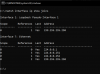
But he doesn't appear in the phones tab. (I have followed the guide : https://www.3cx.com/sip-phones/yealink-t4-series/ )
I can connect to the phone interface
The server and the phone are on the same switch and same network
SIP port used by PBX is 5060
I don't understand...
I've tried to add it manually with his mac adress and link it to my extension but I doesn't work.
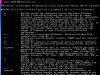
When I plug the phone to the switch, he boot and I have this messages on the screen :
Then the phone is booted and show "Warning no service" on the screen.
Any idea ?
I run a 3CX lab and I try to provision a T41S phone.
I have the supported firmware on the phone
I have reset it to factory default
But he doesn't appear in the phones tab. (I have followed the guide : https://www.3cx.com/sip-phones/yealink-t4-series/ )
I can connect to the phone interface
The server and the phone are on the same switch and same network
SIP port used by PBX is 5060
I don't understand...
I've tried to add it manually with his mac adress and link it to my extension but I doesn't work.
When I plug the phone to the switch, he boot and I have this messages on the screen :
- sending provision requests
- Update skipped !
Then the phone is booted and show "Warning no service" on the screen.
Any idea ?