- Joined
- Jan 18, 2011
- Messages
- 166
- Reaction score
- 47
Hi,
this is a bit weird, I thought it would be easy, but maybe I just don't understand
moved a client over from non-3cx Voip setup to 3cx PBX
setting up client with 3cx, latest install
has about 8x GXP 2160 grandstream phones - so
I installed the latest 3cx firmware on the phones - reset to factory default - adopt them in 3cx with SBC provisioning.
they work fine, system is great.
but
"we liked the default ringtone we had before"
I drill in on the physical telephone LCD / admin buttons, try to change ringtone there, we can hear the various options including the one we want
but we cannot save the changes here. the changes just don't stick.
I try via web-admin on the phone handset IP address, and I have 4 choices possible for default ringtone, and they all sound the same, ie, it lets me change/save but no change actually audible
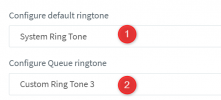
in web-admin for 3cx / the actual 3cx PBX Server host - I can change the 'default' or 'group' ringtone, again I have ~4 choices. Apply save changes, reprovision phone, reboot phone, no change actually happens, it just sounds the same as always with 3cx on this phone.
so I am not clear what I am missing here.
I did find a discussion thread in the forum on a fairly large song-and-dance process to
make custom ringtone file
upload BIN files via TFTP to 3cx server
etc etc etc
seems a bit crazy to me
we already know the phones have the desired ringtone on them, and we can hear it when we use the phone-handset-LCD user-settings interface
but this tone setting won't stick / does not work
can anyone suggest, is there an easy way to get the ring tone changed back to what the user likes ? that does not involve TFTP server bin file <> Firmware upload <> madness ?
Thanks,
Tim
this is a bit weird, I thought it would be easy, but maybe I just don't understand
moved a client over from non-3cx Voip setup to 3cx PBX
setting up client with 3cx, latest install
has about 8x GXP 2160 grandstream phones - so
I installed the latest 3cx firmware on the phones - reset to factory default - adopt them in 3cx with SBC provisioning.
they work fine, system is great.
but
"we liked the default ringtone we had before"
I drill in on the physical telephone LCD / admin buttons, try to change ringtone there, we can hear the various options including the one we want
but we cannot save the changes here. the changes just don't stick.
I try via web-admin on the phone handset IP address, and I have 4 choices possible for default ringtone, and they all sound the same, ie, it lets me change/save but no change actually audible
in web-admin for 3cx / the actual 3cx PBX Server host - I can change the 'default' or 'group' ringtone, again I have ~4 choices. Apply save changes, reprovision phone, reboot phone, no change actually happens, it just sounds the same as always with 3cx on this phone.
so I am not clear what I am missing here.
I did find a discussion thread in the forum on a fairly large song-and-dance process to
make custom ringtone file
upload BIN files via TFTP to 3cx server
etc etc etc
seems a bit crazy to me
we already know the phones have the desired ringtone on them, and we can hear it when we use the phone-handset-LCD user-settings interface
but this tone setting won't stick / does not work
can anyone suggest, is there an easy way to get the ring tone changed back to what the user likes ? that does not involve TFTP server bin file <> Firmware upload <> madness ?
Thanks,
Tim