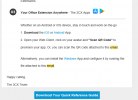
To add to what my colleague asked, if your 3CX Server is installed on-premise and you are currently on the Wifi, try disabling WiFi, enabling Mobile Data and scanning again (assuming that your HTTPS port is forwarded from the outside to your 3CX Server).
The reason for this is because the QR points to your FQDN which points to your Public IP, and a lot of Firewalls do not allow "hairpin" connections from inside the network to the Public IP.
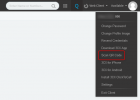
Alternatively, what you can try is log into the WebClient from your PC using the LAN IP (https://<LAN IP of 3CX Server>:5001/webclient), ignore the warning, the scan the QR code from the WebClient . FYI, the credentials for the WebClient should be in the same email you received.