Queue and active calls not showing in presence screen

Status
Not open for further replies.

Julian Henry

Joined
Dec 4, 2017
Messages
5
Reaction score
0
I have a user who was out of the office for about a week and upon returning is not able to see the active calls or queue calls items within the presence screen. I have confirmed that she's in the correct queue and even re-added her. Her phone is connected and can make and receive calls. Also - the items haven't been minimized in the presence screen - just the "Default" menu shows up.
 
Hello @Julian Henry

If you are using the windows client' switchboard, go to Switchboard Settings and in the Call Filtering Section make sure that everything is selected.
In case that you are using the web client, then go to Settings >> Switchboard and again select everything under Call Filter

Hope this helps.
 
Hello @Julian Henry

If you are using the windows client' switchboard, go to Switchboard Settings and in the Call Filtering Section make sure that everything is selected.
In case that you are using the web client, then go to Settings >> Switchboard and again select everything under Call Filter

Hope this helps.

Where can the switchboard settings be found? Within the presence screen I do not have a settings option. We are using the windows client FYI.
 
Where can the switchboard settings be found? Within the presence screen I do not have a settings option. We are using the windows client FYI.
You can open the switchboard by clicking the menu at the top of the phone (three dots) and then selecting "Q-Manager View". Once open, you will see a gear icon at the top for settings.
 
You can open the switchboard by clicking the menu at the top of the phone (three dots) and then selecting "Q-Manager View". Once open, you will see a gear icon at the top for settings.
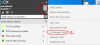
I don't see the menu you're speaking of. Just to clarify - I'm using the full 3cx client software on Windows 7 with an IP phone. The settings within the 3cx software are very minimal.
 
I don't see the menu you're speaking of. Just to clarify - I'm using the full 3cx client software on Windows 7 with an IP phone. The settings within the 3cx software are very minimal.
Capture.PNG
 
Capture.PNG


This is what I'm seeing from the client.
 
That's an old version of 3cx. Install the latest version?

https://www.3cx.com/phone-system/download-links/
Looks like I fixed one problem but created another. After updating the 3CX software I am now able to adjust the presence screen but now the client's phone is listed as "not connected". I've reset the phone, attempted firmware upgrades and sent a new welcome email with a config file. Any suggestions?
 
Looks like I fixed one problem but created another. After updating the 3CX software I am now able to adjust the presence screen but now the client's phone is listed as "not connected". I've reset the phone, attempted firmware upgrades and sent a new welcome email with a config file. Any suggestions?

IP address blocked?
 
What version PBX are you running? If you are running the latest version client with an older version of 3CX you may experience compatibility issues. I would recommend upgrading all to the latest version to ensure compatibility
 
Status
Not open for further replies.

Latest Posts

Forum statistics

Threads
111,880
Messages
589,533
Members
164,733
Latest member
HLISolutions