- Joined
- Jan 21, 2019
- Messages
- 176
- Reaction score
- 20
Hello,
We are encountering a one way audio problem at random intervals.
Unfortunately it is not easy to capture a packet that replicates the error so we currently have only 2 packets with 2 calls that describes it.
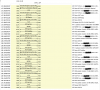
This is a screenshot of a call that had the one way audio problem:
Because we use a Patton gateway, we have also reported it to them and they advised us to fix 3 issues:
a) Calls that invoke REFER will be terminated, you should not send REFER (call-transfer) to Patton, because it will be rejected by the provider, you should handle it internally.
////// How can we do that? Does this mean that we have to disable the "Support Replaces" option in the sip trunk? ( we have tried it but we lose many calls )
b) When the call connects -- out from the IVR and connect you (3cx ) switch codec to PCMU.
Do not do that -- do not switch codec prefer PCMA at first we are in Europe -- set all your IP phones to PCMA codec first.
////// Don't the yealink phones use the 3cx's codec priority? We have Set PCMA on the top and PCMU is the last option.
c) 3cx sets up rtp between Patton and the phone directly, also do not do that rather proxy all RTP on 3cx if you can do that.
////// How can we achieve that?
The one way audio problem also exists on softphones and deskphones.
Does anyone know how to fix these issues?
Info:
1) 3cx version: 16.0.622
2) pbx is locally hosted (Debian 9)
3) Yealink t42s with custom templates and softphones
4) Patton gateway (SN4960/4E120) //// Firmware: R6.8 2015-11-13 H323 RBS SIP
5) Firewall checker passes
We are encountering a one way audio problem at random intervals.
Unfortunately it is not easy to capture a packet that replicates the error so we currently have only 2 packets with 2 calls that describes it.
This is a screenshot of a call that had the one way audio problem:
Because we use a Patton gateway, we have also reported it to them and they advised us to fix 3 issues:
a) Calls that invoke REFER will be terminated, you should not send REFER (call-transfer) to Patton, because it will be rejected by the provider, you should handle it internally.
////// How can we do that? Does this mean that we have to disable the "Support Replaces" option in the sip trunk? ( we have tried it but we lose many calls )
b) When the call connects -- out from the IVR and connect you (3cx ) switch codec to PCMU.
Do not do that -- do not switch codec prefer PCMA at first we are in Europe -- set all your IP phones to PCMA codec first.
////// Don't the yealink phones use the 3cx's codec priority? We have Set PCMA on the top and PCMU is the last option.
c) 3cx sets up rtp between Patton and the phone directly, also do not do that rather proxy all RTP on 3cx if you can do that.
////// How can we achieve that?
The one way audio problem also exists on softphones and deskphones.
Does anyone know how to fix these issues?
Info:
1) 3cx version: 16.0.622
2) pbx is locally hosted (Debian 9)
3) Yealink t42s with custom templates and softphones
4) Patton gateway (SN4960/4E120) //// Firmware: R6.8 2015-11-13 H323 RBS SIP
5) Firewall checker passes
Last edited: