- Joined
- Nov 11, 2019
- Messages
- 42
- Reaction score
- 1
Hi
I assume someone have to bake a new ISO to make this possible...?
A weekend-destroyer for a poor 3cx developer who now have to work over the weekend to solve this
Reason for reinstall with restore
I have an issue with change of datacenter and the static IP address of the server is changing. No way to keep the old one.
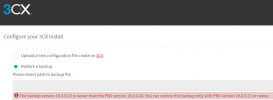
I then, if this still applies, have to reinstall the server with the new static IP and restore the backup. Or has this been eliminated in newer versions?
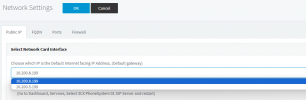
I run Debian and have both old and new IP in the production server with dual NIC configuration. The old IP and NIC shall preferable be removed early next week. I assume i will ahve to reconfigure the SBC's after this.
I also got issues with provisioning of new phones. Hotdesk provisioning still works but not resetted phones. I suspect, as no one else seems to have any provisioning problems after the last V18 update, that the dual IP address has something to do with this as well.
My plan was to do a new install and restore the config to a VM with only 1 NIC that has the new static IP address and then reconfigure the SBC's.
Or am I doing this restore work in wain and the static IP address can nowadays be reconfigured and then simply reinstall the SBC's pointing to the new server IP and I'm done?
BR
Per
I assume someone have to bake a new ISO to make this possible...?
A weekend-destroyer for a poor 3cx developer who now have to work over the weekend to solve this
Reason for reinstall with restore
I have an issue with change of datacenter and the static IP address of the server is changing. No way to keep the old one.
I then, if this still applies, have to reinstall the server with the new static IP and restore the backup. Or has this been eliminated in newer versions?
I run Debian and have both old and new IP in the production server with dual NIC configuration. The old IP and NIC shall preferable be removed early next week. I assume i will ahve to reconfigure the SBC's after this.
I also got issues with provisioning of new phones. Hotdesk provisioning still works but not resetted phones. I suspect, as no one else seems to have any provisioning problems after the last V18 update, that the dual IP address has something to do with this as well.
My plan was to do a new install and restore the config to a VM with only 1 NIC that has the new static IP address and then reconfigure the SBC's.
Or am I doing this restore work in wain and the static IP address can nowadays be reconfigured and then simply reinstall the SBC's pointing to the new server IP and I'm done?
BR
Per