Remote access (admin IP whitelist) rights disappeared?

Status
Not open for further replies.

Apostolos Mystikis

Joined
Jan 23, 2019
Messages
8
Reaction score
0
Hi, i came across an issue
I have a cloud 3CX instance, a few weeks ago limited the access to Remote management console to our office static IP only
now i can't find the same setting anywhere. Has it been removed from the security? or general ?
in few days time the static ip will change and i will completely loose access to it completely !
any help much appreciated.

ps. i checked and i added the new static IP address to the IP whitelist list but this doesnt seem to work as it accepts connection only from the first one i did

Also found out that i cant edit the whitelisted ip that i configured before it gives an error bellow

Internal Server Error(500)

Cannot edit this entry

someone deleted this setting its stupid!
i am using 16.0.0.1110
 
Last edited:
The setting hasn't been removed. Are you sure you are logged in with the correct account and not an extension? Also make sure you clear your cache in case an old file stalled after an update. Or try another browser just in case.

By the way, fyi the IP Blacklist and the Console Restriction are two different things as far as I am aware. Allowing an IP in the blacklist section will not automatically add it in the Console Restriction white-list.
 
I'm not yet familiar with the alpha releases but did you do that via the firewall in Google or in the 3CX management console?

If it's in 3CX then is it possible it has simply time expired because the date set has passed?
 
I'm not yet familiar with the alpha releases but did you do that via the firewall in Google or in the 3CX management console?

If it's in 3CX then is it possible it has simply time expired because the date set has passed?


that is in the new 3CX management console. i set up my static IP address to have access only to the the portal to restrict future hack attempts, and now i cant find this setting at all
 
The setting hasn't been removed. Are you sure you are logged in with the correct account and not an extension? Also make sure you clear your cache in case an old file stalled after an update. Or try another browser just in case.

By the way, fyi the IP Blacklist and the Console Restriction are two different things as far as I am aware. Allowing an IP in the blacklist section will not automatically add it in the Console Restriction white-list.


I tried different Browser, i am logged in as an admin not extension, my issue as you stated is to allow access to the CONSOLE from a certain static public IP only, and this menu disappeared.
can you advice how can i clean the cache? maybe worths a try
 
I'm just guessing here but the release notes say there is a tab for "restrictions". The logical place for that tab would be under Settings -> Security.

As I said though, only guessing...
 
Security - >Security Settings -> Console Restrictions tab.
 
Security - >Security Settings -> Console Restrictions tab.
Thanks for the reply but that's the thing it is not there anymore and I am logged in with admin credentials. It disappeared!
Would be interested to find any solution even terminal commands cause in 2-3 days it's gone! I won't have access at all
 
It’s there in my google cloud instance of 3CX. Not sure why it wouldn’t be unless it’s not v16
 
upload_2019-1-24_9-15-47.png

upload_2019-1-24_9-14-26.png

Yes it should be there but not anymore!
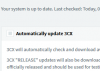
is there any chance something went wrong to the update? also it doesnt seem that i can deactivate the automatic updates as the tick button is not "clicking"!
upload_2019-1-24_9-32-12.png
 
That suggests you are not logged in as the actual admin but rather an extension that has some admin privileges.

I wish you were right. but i am using the admin credentials 10000%
logged in to the portal with admin and my password and NOT the extension, thats 1000% sure
it seems that the admin " lost " the admin rights! lol
 
I wish you were right. but i am using the admin credentials 10000%
logged in to the portal with admin and my password and NOT the extension, thats 1000% sure
it seems that the admin " lost " the admin rights! lol

Might be worth logging out, clearing cache / cookies and then logging back in or trying a different browser.

Also, what version number is showing for you on the dashboard?
 
Might be worth logging out, clearing cache / cookies and then logging back in or trying a different browser.

Also, what version number is showing for you on the dashboard?

upload_2019-1-24_10-32-20.png
upload_2019-1-24_10-33-29.png

Thats strange in the Management console is shows 16.0.0.1110 but in the customer portal the licence shows 15.0
i strongly still believe that something went terribly wrong in an update
 
View attachment 9409
View attachment 9410

Thats strange in the Management console is shows 16.0.0.1110 but in the customer portal the licence shows 15.0
i strongly still believe that something went terribly wrong in an update

That is odd. Ours shows as 15.5 (i.e. as expected).

Have you tried "Refresh License Key Information" under License Settings?

May or may not be related to your problem but worth a go.

If something has gone badly wrong it might be re-install and restore from backup time...
 
That is odd. Ours shows as 15.5 (i.e. as expected).

Have you tried "Refresh License Key Information" under License Settings?

May or may not be related to your problem but worth a go.

If something has gone badly wrong it might be re-install and restore from backup time...
Thats exaclty what i will do but transfer it to my Azure first thig cause with the free Google cloud option i dont have access to shut down or to try to do any further actions. I m moving from evaluate to real time enviroment so this would be more helpful
Thanks anyway
 
Status
Not open for further replies.

Forum statistics

Threads
111,911
Messages
589,702
Members
164,780
Latest member
JoeMiller