# --- CONFIGURATION ---
$FQDN = "example.com"  # Change to your 3CX PBX FQDN
$CLIENT_ID = "client01"  # Change to your Integrations -> API -> Client ID
$CLIENT_SECRET = "abcdefghijabcdefghijabcdefghij"  # Change to your Integrations -> API -> Client ID -> API Key
$EXPORT_PATH = ".\blacklist_export"  # Base path for exports (current directory)

function Get-Token {
    $url = "https://$FQDN/connect/token"

    $body = @{
        grant_type = "client_credentials"
        client_id = $CLIENT_ID
        client_secret = $CLIENT_SECRET
    }

    try {
        $response = Invoke-RestMethod -Uri $url -Method Post -Body $body -ContentType "application/x-www-form-urlencoded"
        return $response.access_token
    }
    catch {
        Write-Error "Failed to get token: $($_.Exception.Message)"
        exit 1
    }
}

function Get-RequestHeaders {
    param(
        [string]$Token
    )

    $headers = @{
        "Authorization" = "Bearer $Token"
        "Content-Type" = "application/json"
    }

    return $headers
}

function Get-BlackListNumbers {
    param(
        [string]$Token
    )

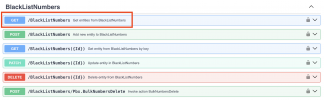
    $url = "https://$FQDN/xapi/v1/BlackListNumbers"
    $headers = Get-RequestHeaders -Token $Token

    try {
        $response = Invoke-RestMethod -Uri $url -Method Get -Headers $headers
        return @{data = $response; success = $true}
    }
    catch {
        $statusCode = $_.Exception.Response.StatusCode.value__
        $responseBody = $_.Exception.Response
        $reader = New-Object System.IO.StreamReader($responseBody.GetResponseStream())
        $reader.BaseStream.Position = 0
        $reader.DiscardBufferedData()
        $errorBody = $reader.ReadToEnd()
        $reader.Close()

        Write-Host "Response Code: $statusCode"
        Write-Host "Response Text: $errorBody"

        $errorReport = @{
            "Error" = @(
                @{
                    "Response Code" = $statusCode
                    "Response Body" = $errorBody
                }
            )
        }

        return @{data = $errorReport; success = $false}
    }
}

function Format-AsTable {
    param(
        [array]$BlackListNumbers
    )

    if ($BlackListNumbers.Count -eq 0) {
        Write-Host "No blacklist numbers found." -ForegroundColor Yellow
        return
    }

    # Create formatted table output
    $table = $BlackListNumbers | ForEach-Object {
        [PSCustomObject]@{
            'Number' = $_.number
            'Description' = if ($_.description) { $_.description } else { 'N/A' }
            'Block Calls' = if ($_.blockCalls) { 'Yes' } else { 'No' }
            'Block SMS' = if ($_.blockSms) { 'Yes' } else { 'No' }
            'ID' = $_.id
        }
    }

    return $table
}

function Show-Summary {
    param(
        [array]$BlackListNumbers
    )

    $totalCount = $BlackListNumbers.Count
    $blockCallsCount = ($BlackListNumbers | Where-Object { $_.blockCalls -eq $true }).Count
    $blockSmsCount = ($BlackListNumbers | Where-Object { $_.blockSms -eq $true }).Count

    Write-Host "`n=== Blacklist Summary ===" -ForegroundColor Cyan
    Write-Host "Total entries: $totalCount"
    Write-Host "Blocking calls: $blockCallsCount"
    Write-Host "Blocking SMS: $blockSmsCount"
    Write-Host "=========================`n" -ForegroundColor Cyan

    return @{
        TotalEntries = $totalCount
        BlockingCalls = $blockCallsCount
        BlockingSMS = $blockSmsCount
    }
}

function Export-ToFiles {
    param(
        [array]$BlackListNumbers,
        [string]$BasePath,
        [string]$Timestamp
    )

    # Create export directory if it doesn't exist
    $exportDir = "$BasePath\$Timestamp"
    if (-not (Test-Path -Path $exportDir)) {
        New-Item -ItemType Directory -Path $exportDir -Force | Out-Null
    }

    $summary = @{
        "ExportDate" = Get-Date -Format "yyyy-MM-dd HH:mm:ss"
        "TotalEntries" = $BlackListNumbers.Count
        "FilesCreated" = @()
    }

    # 1. Export as JSON (raw data)
    $jsonPath = "$exportDir\blacklist_raw.json"
    $BlackListNumbers | ConvertTo-Json -Depth 10 | Out-File -FilePath $jsonPath -Encoding UTF8
    $summary.FilesCreated += "JSON: $jsonPath"

    # 2. Export as formatted table (TXT)
    $tableData = Format-AsTable -BlackListNumbers $BlackListNumbers
    if ($tableData) {
        $tablePath = "$exportDir\blacklist_table.txt"

        # Create a nicely formatted table for text file
        $tableOutput = @()
        $tableOutput += "=" * 80
        $tableOutput += "BLACKLIST NUMBERS - $((Get-Date).ToString('yyyy-MM-dd HH:mm:ss'))"
        $tableOutput += "=" * 80
        $tableOutput += ""

        # Add summary
        $tableOutput += "SUMMARY:"
        $tableOutput += "Total entries: $($BlackListNumbers.Count)"
        $tableOutput += "Blocking calls: $(($BlackListNumbers | Where-Object { $_.blockCalls -eq $true }).Count)"
        $tableOutput += "Blocking SMS: $(($BlackListNumbers | Where-Object { $_.blockSms -eq $true }).Count)"
        $tableOutput += ""
        $tableOutput += "=" * 80
        $tableOutput += "DETAILED LIST:"
        $tableOutput += "=" * 80
        $tableOutput += ""

        # Format as table with fixed width columns
        $tableOutput += ("{0,-20} {1,-40} {2,-12} {3,-10} {4,-36}" -f "Number", "Description", "Block Calls", "Block SMS", "ID")
        $tableOutput += ("{0,-20} {1,-40} {2,-12} {3,-10} {4,-36}" -f "------", "-----------", "-----------", "---------", "--")

        foreach ($item in $tableData) {
            $desc = if ($item.Description.Length -gt 38) { $item.Description.Substring(0, 35) + "..." } else { $item.Description }
            $tableOutput += ("{0,-20} {1,-40} {2,-12} {3,-10} {4,-36}" -f $item.Number, $desc, $item.'Block Calls', $item.'Block SMS', $item.ID)
        }

        $tableOutput | Out-File -FilePath $tablePath -Encoding UTF8
        $summary.FilesCreated += "Table TXT: $tablePath"
    }

    # 3. Export as CSV
    if ($tableData) {
        $csvPath = "$exportDir\blacklist_export.csv"
        $tableData | Export-Csv -Path $csvPath -NoTypeInformation
        $summary.FilesCreated += "CSV: $csvPath"
    }

    # 4. Export as simple list (just numbers)
    $listPath = "$exportDir\blacklist_numbers_only.txt"
    $numbersOnly = $BlackListNumbers | ForEach-Object { $_.number }
    $numbersOutput = @()
    $numbersOutput += "Blacklist Phone Numbers"
    $numbersOutput += "Generated: $(Get-Date -Format 'yyyy-MM-dd HH:mm:ss')"
    $numbersOutput += "Total: $($numbersOnly.Count)"
    $numbersOutput += ""
    $numbersOutput += $numbersOnly
    $numbersOutput | Out-File -FilePath $listPath -Encoding UTF8
    $summary.FilesCreated += "Numbers only: $listPath"

    # 5. Export summary file
    $summaryPath = "$exportDir\export_summary.txt"
    $summaryOutput = @()
    $summaryOutput += "BLACKLIST EXPORT SUMMARY"
    $summaryOutput += "=" * 40
    $summaryOutput += "Export Date: $($summary.ExportDate)"
    $summaryOutput += "Total Entries: $($summary.TotalEntries)"
    $summaryOutput += ""
    $summaryOutput += "Files Created:"
    $summaryOutput += "-" * 40
    foreach ($file in $summary.FilesCreated) {
        $summaryOutput += "  • $file"
    }
    $summaryOutput += ""
    $summaryOutput += "Export Location: $exportDir"

    $summaryOutput | Out-File -FilePath $summaryPath -Encoding UTF8

    return @{
        ExportDirectory = $exportDir
        Files = $summary.FilesCreated
        Summary = $summary
    }
}

# Main execution
$token = Get-Token
$result = Get-BlackListNumbers -Token $token

if (-not $result.success) {
    Write-Host "Stopping process due to error:"
    Write-Host ($result.data | ConvertTo-Json -Depth 10)
    exit 1
}

$blackListNumbersList = $result.data.value

# Generate timestamp for export folder
$timestamp = Get-Date -Format "yyyyMMdd_HHmmss"

# Display on screen
Write-Host "`n=== Blacklist Numbers (Table View) ===" -ForegroundColor Green
$tableData = Format-AsTable -BlackListNumbers $blackListNumbersList
if ($tableData) {
    $tableData | Format-Table -AutoSize
}

# Show summary
$summary = Show-Summary -BlackListNumbers $blackListNumbersList

# Export to files
Write-Host "`n=== Exporting Data ===" -ForegroundColor Cyan
$exportResult = Export-ToFiles -BlackListNumbers $blackListNumbersList -BasePath $EXPORT_PATH -Timestamp $timestamp

Write-Host "`nExport completed successfully!" -ForegroundColor Green
Write-Host "Files saved to: $($exportResult.ExportDirectory)" -ForegroundColor Yellow
Write-Host "`nFiles created:" -ForegroundColor White
foreach ($file in $exportResult.Files) {
    Write-Host "  • $file" -ForegroundColor Gray
}

# Optional: Show location of export summary
Write-Host "`nExport summary: $($exportResult.ExportDirectory)\export_summary.txt" -ForegroundColor Cyan

# Optional: Ask if user wants to open export folder
$openFolder = Read-Host "`nOpen export folder? (Y/N)"
if ($openFolder -eq 'Y' -or $openFolder -eq 'y') {
    Invoke-Item $exportResult.ExportDirectory
}