replied: 481 Call Leg/Transaction Does Not Exist; from IP

Status
Not open for further replies.

AS19

Free User
Joined
Jul 23, 2019
Messages
28
Reaction score
1
When I try and place an outgoing call on any FXO Port other than port 1, my handset says "NO Response" and I get the following log message


"SIP Server/Call Manager ID: 12294
Call or Registration to XXXXXXX@(Ln.10003@Patton Analog FXO 0001) has failed. 172.16.XXX.XXX replied: 481 Call Leg/Transaction Does Not Exist; from IP:172.16.XXX.XXY:5061"


I am able to receive calls on all the ports on the FXO gateway.

I have checked the outbound rules and they are correct. If I change the routing to route the calls out FXO Port 0 everything works fine, but changing to FXO Port 1-3 fails and produces an error similar to the above.


System Info
  • 3CX Version, Standard Annual16.0.676
  • Server OS, Debian 9
  • Is the 3CX Server Hosted and where? Local VM, hypervisor VMware ESXi, 6.7.0 Update 3 (Build 15018017)
  • IP Phone Make/Model/Firmware: Various granstream handsets
  • Provisioning Method: Local / VPN / STUN / SBC: Local
  • Trunk Provider or Gateway Make/Model: Patton 4114
  • Has the Firewall Checker passed: YES
  • Are custom Phone Templates being used: NO
 
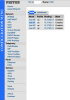
Although you say you can receive inbound calls, I will still check the status of the line by logging into the Patton's web interface and going to: / Ports / FXO / Port fxo ?/?/status

The error you are getting to the additional lines to me looks like they have not registered to 3CX. You can confirm this anyway quite easily using this guide: https://www.patton.com/support/kb_art.asp?art=446&p=128

From the command line of the Patton run. (login is administrator/empty no password by default.
enable
configure
debug context sip-gateway registration


To list any errors with registration from the device. You can also run the following commands and do a test call to see in more detail (again from the command line of the Patton):

enable
configure
debug call‐router
debug call‐control
debug fxo
debug ccfxo
debug context sip‐gateway signaling detail 5
debug context sip‐gateway transport detail 5
debug context sip‐gateway error


On both commands "no debug all" stops the cycle.

Based on your initial report I think this to be an issue with the Patton, so I would also ask you to check and confirm the following:

  • Firmware on the Patton.
  • Template used from 3CX - should not be the 4141 FXO (this is a different OS)
  • Is the Patton also local, within the same subnet or routable subnet.

This would all be s start for the time being.

 
FXO Ports are enabled. Each FXO port is configured to appear to 3cx as a separate SIP trunk. Each SIP trunk shows as registered in 3cx. And yes inbound calls on ports 1-3 work fine.

I ran the debug commands you suggested and made a test call. Sanized debug output form the FXO gateway is attached.

FXO Info:
Model SN4114

Firmware: R6.11

I used the configuration generator from the Patton website to set up each port on the FXO gateway to appear as a separate SIP trunk. (I manually debugged the configuration, the configuration the configuration generator outputs had bugs.)

3CX and FXO gateway are on the same local subnet. The only firewall that could interfere is the firewall that's built into the 3CX PBX.


Sanitized version of the FXO configuration file is attached.
 

Attachments

  • Screen Shot 2019-12-10 at 10.02.46 PM.png
    Screen Shot 2019-12-10 at 10.02.46 PM.png
    134.5 KB · Views: 10
  • Screen Shot 2019-12-10 at 10.02.56 PM.png
    Screen Shot 2019-12-10 at 10.02.56 PM.png
    163.2 KB · Views: 10
  • PattonCFG.txt
    PattonCFG.txt
    7.2 KB · Views: 9
  • FXO-Debug.txt
    FXO-Debug.txt
    3.5 KB · Views: 5
  • Screen Shot 2019-12-10 at 10.27.11 PM.png
    Screen Shot 2019-12-10 at 10.27.11 PM.png
    264 KB · Views: 9
Ah your using custom template and splitting your trunks for outbound calling. Not a major issue but "unsupported" by 3CX, I would assume all is well with a standard template ?

Since this is one of those Patton generated templates also you could raise this with them also, their support team are very helpful.

In regards to the logging and traces thank-you.

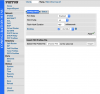
On your second screenshot you have a status page, it is that I am looking for, I just want to see the status of your lines. The interfaces on the Patton and system (3CX) are registered which is good.

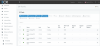
Could you perhaps PM me full call log from the Patton, there is just a fragment here. Also this issue is in relation to outbound calls from within the local LAN/behind the Patton - why does the capture come from something labled Cell Phone ?
 
Will send you the debug output.


It says cell phone because that's part of the extension name. I was calling from the 3cx app on my cellphone, via local wifi
 
Status
Not open for further replies.

Latest Posts

Forum statistics

Threads
111,934
Messages
589,822
Members
164,814
Latest member
Ruben756