


- Joined
- Jun 25, 2024
- Messages
- 5
- Reaction score
- 0
Hi everybody,
We have a client who is using 3CX and has a few users with reporting access.
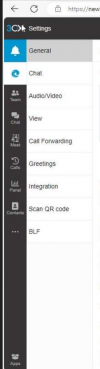
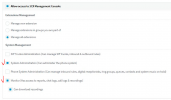
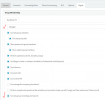
However, one user can't see the reporting option on the web portal despite setting all the reporting rights to the user account as shown in the below screenshots.
Do we need to do anything else to grant that access or are we missing something?
Your assistance is much appreciated,
Thanks,

We have a client who is using 3CX and has a few users with reporting access.
However, one user can't see the reporting option on the web portal despite setting all the reporting rights to the user account as shown in the below screenshots.
Do we need to do anything else to grant that access or are we missing something?
Your assistance is much appreciated,
Thanks,


 ort bit when you are accessing the web client must be like https://FQDN

