Resolved: Pressing 0 during voicemail greeting

Status
Not open for further replies.

dcline97

Customer
Joined
Jan 21, 2010
Messages
24
Reaction score
2
Version 9, SP3.

A caller (regardless if internal or external) connects to an extension, the call is not answered and the voicemail prompt begins playing. The caller then presses any key (usually 0) and they automatically get forwarded to extension 100. Where do I change where pressing a key during the playing of voicemail prompts forwards the calls to? I want them to go back to our digital receptionist at extension 802.

Thanks,

Dave
 
Re: Pressing 0 during voicemail greeting

Have a look at re-configuring the 'Operator extension' setting under Settings -> General in the Management Console.
 
Re: Pressing 0 during voicemail greeting

We have already set that to extension 200, but it does not seem to make any difference - opting out of voicemail always sends you to extension 100. Is this a bug?

Any other thoughts?
 
Re: Pressing 0 during voicemail greeting

Definitely not a bug.

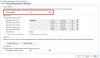
Check again in Settings > General > Operator Extension
Make sure it's changed to 200.

Also check whether you accidentally changed the Voice Mail number to 200 instead by mistake.
 

Attachments

  • Operator.jpg
    Operator.jpg
    77.7 KB · Views: 686
Re: Pressing 0 during voicemail greeting

Nope - the operator extension is 200 and the voicemail extension is 999.

I'm wondering if it is preprogrammed to always go to the first extension (which is 100 for us) when you press any numeric key during the playing of a voicemail greeting?
 
Re: Pressing 0 during voicemail greeting

Hi try going to C:\ProgramData\3CX\Data\Http\Interface\ivr\root.ivr and open that file with a text editor.

There should be a line saying the following:
"rtOperator" expr="'100'" or "rtOperator" expr="'200'" where 100 or 200 is the number of your operator extension.
Make sure this value reflects the one specified in your management console.
 
Re: Pressing 0 during voicemail greeting

It took some searching, but I found it! Here is where/what the file looks like in ver 9.

C:\Documents and Settings\All Users\Application Data\3CX\Data\Http\Interface\ivr\root.vxml

Sure enough, it was set to extension 100. I changed it to what we really wanted and the problem is now solved.

Thank you so much!

Dave
 
Status
Not open for further replies.

Latest Posts

Forum statistics

Threads
111,873
Messages
589,500
Members
164,719
Latest member
David Gharakhanian