


- Joined
- Jan 12, 2025
- Messages
- 27
- Reaction score
- 4
Hello everyone,
I work with V20 and am trying to integrate Salesforce. I followed the manual. The integration is done in collaboration with Salesforce Admin. The default template is used. The test is working well. The results are from all Salesforce users. That is as expected. Authorization is made with OAuth as a Salesforce Admin.
A user is set to use the integration with "Open Contact URL using Server Side CRM integration".
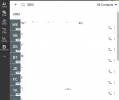
Contacts Tab discovers ALL contacts with a search number from ALL other users. The example is below:
Question #1.
Is there any way to modify the default Salesforce template to search CRM contacts that belong only to a particular user who does not have Salesforce Admin rights?
Question #2.
Is it possible to not limit a list to 20 contacts?
Thank you
I work with V20 and am trying to integrate Salesforce. I followed the manual. The integration is done in collaboration with Salesforce Admin. The default template is used. The test is working well. The results are from all Salesforce users. That is as expected. Authorization is made with OAuth as a Salesforce Admin.
A user is set to use the integration with "Open Contact URL using Server Side CRM integration".
Contacts Tab discovers ALL contacts with a search number from ALL other users. The example is below:
Question #1.
Is there any way to modify the default Salesforce template to search CRM contacts that belong only to a particular user who does not have Salesforce Admin rights?
Question #2.
Is it possible to not limit a list to 20 contacts?
Thank you


