


- Joined
- Apr 18, 2019
- Messages
- 85
- Reaction score
- 9
Ours went down after we reboot the Windows 10 PC. I tried to deinstall the sbc and add it back, but it won't uninstall. I had this issue last week, but we eventually were able to remove it.
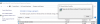
Is there another way to remove it? Also, can the SBC be edited after it has ran successfully? It acts like it is going to uninstall then the window that says "please wait while Windows configures
3CX session border controller, then it goes away.
Thanks
Is there another way to remove it? Also, can the SBC be edited after it has ran successfully? It acts like it is going to uninstall then the window that says "please wait while Windows configures
3CX session border controller, then it goes away.
Thanks


