SBC download link in 3cx website might be outdated?

Status
Not open for further replies.

chrisbeam

Bronze Partner
Advanced Certified
Joined
Apr 13, 2021
Messages
36
Reaction score
12
Hi
I am currently preparing several PI4's for new 3cx projects. After copying the Rapsbian image onto the MicroSD card, i went and downloaded the zip file with the link provided in the sbc manual page.

Can it be that 3CX did not update that zip file to V18?
 
Hi @chrisbeam,

Which page are you referring to? The SBC manual page seems to have updated links?
 
Hi @chrisbeam,

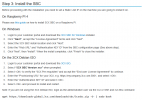
Both pages have the same link:

Untitled.png

Are you running into any issue using the link?
 
Hi @chrisbeam,

Yes, it will provide the latest version of the SBC. Give it a go and let me know if you run in to any issues.
 
I have installed a new PI4 with Raspbian bulleye. Could it be that the SBC package is not compatible?

I get this error after entering the API key:


connecting https://XXXXX.my3cx.de:5001
Ign:1 http://downloads-global.3cx.com/downloads/debian bullseye InRelease
Err:2 http://downloads-global.3cx.com/downloads/debian bullseye Release
404 Not Found [IP: 2606:4700:10::ac43:27ec 80]
Reading package lists... Done
E: The repository 'http://downloads-global.3cx.com/downloads/debian bullseye Release' does not have a Release file.
N: Updating from such a repository can't be done securely, and is therefore disabled by default.
N: See apt-secure(8) manpage for repository creation and user configuration details.
error: Cannot install the 3cxsbc package
 
  • Like
Reactions: VasilisV_3CX
Hi @chrisbeam,

I would suggest sticking to the installation guide. It offers a Raspbian buster version as a link as mentioned by @Saqqara. Let us know if you run into any trouble.
 
Status
Not open for further replies.

Forum statistics

Threads
111,974
Messages
590,083
Members
164,901
Latest member
Silent_Guru