Solved SBC Not Connecting To New PBX Instance

Status
Not open for further replies.

kgann

Bronze Partner
Joined
May 9, 2022
Messages
9
Reaction score
2
Good Evening,

I just spun up a new instance that is hosted through 3CX. I was successfully able to register my SIP trunks, but when I install the SBC and finish configuring it, it will not connect. I am able to ping google and cloudflare IP addresses fine. I am also able to ping the SBC. When I try to ping the PBX I get nothing on the SBC or my laptop. I have reinstalled the SBC 4 times and each time it is not connecting. I am assuming this may be on the PBX side. Any ideas?

Thanks,
Keith
 
Hi @kgann

Have you tried installing the PBX from a different location? Perhaps something is blocking you in the network? Where is the SBC installed? Is it Windows or Debian? Is it on a VM or a standalone machine?
 
I have not. I currently have one on site that is used for our phone system. I am setting up this one for another location. Ours is working fine. It is installed on a tech bench right now on a segregated LAN. It is a Debian install and I have tried on a VM and a standalone machine. I cant ping the PBX at all from my location.
 
@kgann ping will never work as we have it disabled on the Firewall in front of the hosted machines.
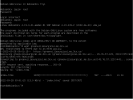
Now from this machine where the SBC is installed on, can you go a wget to the FQDN of the PBX ?
Do you reach this ?
 
Looks like it resolved and it can see it.
 

Attachments

  • Screenshot from 2022-09-28 09-02-43.png
    Screenshot from 2022-09-28 09-02-43.png
    15.6 KB · Views: 78
Last edited:
@kgann okk perfect but edit the screenshot as it have case sentitive info.
Now you have to check the config file to ensure that all details are inserted correctly.
 
This is the first time I have had an issue. Do you have a link for the instructions on how to check the config file?
 
I have reinstalled the SBC a few times and double checked the information and it is all correct. Could it be that I have 2 SBCs for 2 different PBXs on the same network?
 
@kgann i dont think there is an issue with running 2 SBCs on the same network.
I would recommend to check the config again at /etc/3cxsbc.conf
If it continues setup the SBC and the PBX in Verbose mode to check the Tunnel logs on the PBX side and also the SBC logs in order to identify the real source of the issue.
 
Update! I downloaded a fresh ISO file and reinstalled. This time everything connected up and is working. I appreciate the response and all of the help. I will make note of this and start there if I have future issues.
 
  • Like
Reactions: NikosT_3CX
Status
Not open for further replies.

Forum statistics

Threads
111,974
Messages
590,081
Members
164,899
Latest member
mazet