SBC - Yealink T53 provisioning other phones (Yealink T21 E2 and T23G) - Issue

Status
Not open for further replies.

MicroTech Global LTD

Forum User
Joined
Jun 16, 2016
Messages
22
Reaction score
0
We have configured a Yealink T53 as an SBC in our office. This devcie seems to be working OK.

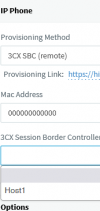
However, when we are then provisioning other phones (Yealink T21 E2 and T23G), they are detected OK via the SBC and appear in the 3CX Management Console in the Phones list as New Phones, but when we then try to assign an extension to them and Provisioning Method “3CX SBC (remote)” is selected, the SBC phone does not appear in the “3CX Session Border Controller” list and so cannot be selected. We can only get the phone working by selecting “Direct SIP (STUN – remote)” as the Provisioning Method.

Somehow, it has worked for only one phone (a T23G) so far, even though all the phones are on the same LAN and subnet (IPs obtained via DHCP)

Thanks
 
Hi Thanks for getting back to us.

I have just checked all the phones and they all are running the latest firmware.

When this problem first happened that was the first thing i did was to update the Firmware on all Handsets but the problem still remains
 
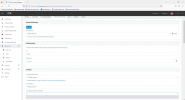
Is the T53 showing up as an SBC under the SIP Trunk tab?
 
yes it is showing up under SIP Trunk

1695813884179.png
 
Have you pressed on the field to show the SBC in the drop down?

1695814080005.png
 
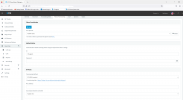
Hi, Please see below what we see

1695815790126.png
 
Strange.. have you tried restarting services?

You could remove/add the SCB again and check?
 
Hi MicroTech Global LTD,
please make sure that the router phone's owner extension X and the new assigned extension Y have a common Group, otherwise the SBC is not accessible.
 
Reply to

kieferschild


Services all have been restarted and so has the server a number of times but no luck.

SBC fully removed and re-added and like i said only one T23G phone has managed to connect to SBC (Screenshot attached)

1695820118719.png
 
Reply to

ivank


Could you please provide more information on "please make sure that the router phone's owner extension X and the new assigned extension Y have a common Group, otherwise the SBC is not accessible."

What do you actually mean and how do i go about doing this if the extension do not have a common group.

Thank you
 
Reply to

ivank


Could you please provide more information on "please make sure that the router phone's owner extension X and the new assigned extension Y have a common Group, otherwise the SBC is not accessible."

What do you actually mean and how do i go about doing this if the extension do not have a common group.

Thank you
Create a new group, call it SBC and put both extensions in.
 
  • Like
Reactions: ivank
Great. Thanks for the information.

New group has been created and the T53 has four different extensions which have all been added to that group and then 1 extension which was not allowing us to select the 3CX session Border Controller, but the problem is still there.

When Selecting Provisioning Method - 3CX SBC (remote)
3CX session Border Controller - still showing blank and no options to select the SBC phone
 
Then I'm afraid you'll have to open a support ticket so they fully investigate your case
 
Are you logged in as system owner?
 
Yes as the System Administrator / Owner
 
Status
Not open for further replies.

Members Online Now

Forum statistics

Threads
111,831
Messages
589,277
Members
164,660
Latest member
RJenkinsROCK