- Joined
- Aug 11, 2015
- Messages
- 14
- Reaction score
- 0
Greetings all,
We have a 3CX V20 ( Pro 8SC ) on a windows 10 Pro 22H2
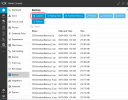
The V18 pbx was on another machine, I set the backups to be on the new machine, I can do manual backups so I know the path and credentials are correct, the auto backups produce a backup.zip.tmp file and stops.
I moved the the PBX to the new machine over the weekend and it is the same, I can do manual backups but auto backups are not working.
Now the 3CX is on the new computer and this new computer is being fully backed up, I dont need this to be a SMB share.
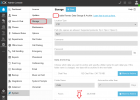
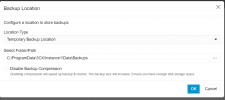
I can not see how to change back to self storage.
I am happy to leave as a SMB share but the backup has to be reliable and at the moment it is not.
Any ideas?
Regards
John
Auckland NZ
We have a 3CX V20 ( Pro 8SC ) on a windows 10 Pro 22H2
The V18 pbx was on another machine, I set the backups to be on the new machine, I can do manual backups so I know the path and credentials are correct, the auto backups produce a backup.zip.tmp file and stops.
I moved the the PBX to the new machine over the weekend and it is the same, I can do manual backups but auto backups are not working.
Now the 3CX is on the new computer and this new computer is being fully backed up, I dont need this to be a SMB share.
I can not see how to change back to self storage.
I am happy to leave as a SMB share but the backup has to be reliable and at the moment it is not.
Any ideas?
Regards
John
Auckland NZ