Secure Sip

Status
Not open for further replies.

illcsales

Bronze Partner
Joined
Jan 21, 2020
Messages
261
Reaction score
149
Had posted on the Update 6 Beta thread but some folks had suggested I post here as they said they had run across this themselves...

Secure SIP
Was looking through our testing box and noticed that the keys are blank when enabled for Secure SIP. Not sure how this happened never had an issue before. Is there a way to regenerate them without doing removal and reinstall as has been previously posted?

The web cert is there and working fine.

I went ahead and ran /usr/lib/3cxpbx/PbxConfigTool -renew-certificates, service nginx restart.

When i went back into console Sercure SIP is still blank when checked.

Thoughts?
 
  • Like
Reactions: Evolute IT
Note for the team: We also noticed this on a few systems recently. The files were also missing in the expected location.
 
This has been up for a few days just following up to see if anyone has any further input?
 
I did some further digging and compared several systems and their backups, for some reason through the several moves and restores from backup over the years of this system there were several certs in the /var/lib/3cxpbx/Instance1/Bin/Cert folder, yet no cert for the correct 3cx fqdn.
Keep in mind the web page had the correct cert just that it wasn't listed correctly in the cert folder and was using another file than expected, also secure sip did not have the cert or key listed in the appropriate field. Apparently, the old certs and keys do not get deleted if there is a name or ip change and in this instance seemed to create the mismatch to break secure sip.

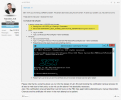
Having made a backup, I decided to give the TEMPORARY_SELF_SIGNED_CERTIFICATE_GENERATED 1 parameter a try. Running /usr/lib/3cxpbx/PbxConfigTool -renew-certificates and service nginx restart the correct cert was created and it showed correctly in secure sip. You can see the detailed process below. Thank you G.Bourgeois...

I recommend backing up your current certificates.. before process…

Step 1 : Locate the certificate folder (default) and backup on your computer ..
  • Windows: C:\Program Files\3CX Phone System\Bin\nginx\conf\instance1
  • Linux: /var/lib/3cxpbx/Bin/nginx/conf/Instance1

Step 2 : after, trying this solution share by "vtech" user ;

** BEFORE , please read @YiannisH_3CX disclaimer , Who is written under the procedure share by Vtech **

https://www.3cx.com/community/threads/lets-encrypt-cert-not-renewing.57717/post-241747


View attachment 33440


If you are having issues with renewing the certificate as mentioned by YiannisH_3CX, you will need the files backed up in step 1 to restore the old certificates….
 
I did some further digging and compared several systems and their backups, for some reason through the several moves and restores from backup over the years of this system there were several certs in the /var/lib/3cxpbx/Instance1/Bin/Cert folder, yet no cert for the correct 3cx fqdn.
Keep in mind the web page had the correct cert just that it wasn't listed correctly in the cert folder and was using another file than expected, also secure sip did not have the cert or key listed in the appropriate field. Apparently, the old certs and keys do not get deleted if there is a name or ip change and in this instance seemed to create the mismatch to break secure sip.

Having made a backup, I decided to give the TEMPORARY_SELF_SIGNED_CERTIFICATE_GENERATED 1 parameter a try. Running /usr/lib/3cxpbx/PbxConfigTool -renew-certificates and service nginx restart the correct cert was created and it showed correctly in secure sip. You can see the detailed process below. Thank you G.Bourgeois...


Oh nice! It works then!
So the first time, you forgot proceed to step 1 (yellow) of the procedure shared by "vtech"?
Did you start at step 2, directly? :p


When I collaborate with colleagues, I like to lighten the atmosphere by comparing it to a surgical operation.
The first step is to have an anesthesiologist put the patient to sleep. I hope that no surgeon will forget the first step if one day I have surgery. Just for fun ! xD


Thanks @illcsales for confirming that it works !


1673471390788.png
 
Oh nice! It works then!
So the first time, you forgot proceed to step 1 (yellow) of the procedure shared by "vtech"?
Did you start at step 2, directly? :p


When I collaborate with colleagues, I like to lighten the atmosphere by comparing it to a surgical operation.
The first step is to have an anesthesiologist put the patient to sleep. I hope that no surgeon will forget the first step if one day I have surgery. Just for fun ! xD


Thanks @illcsales for confirming that it works !


View attachment 33528
The first time I did not want to modify any parameters as I wanted to understand exactly what was going on, so I just proceeded with the renewal to see if it was sufficient.
As it was not sufficient and there was no further input on the forum once I posted in Self Hosted from Beta, I dug a bit deeper to understand how 3CX uses let encrypt.
That is when I discovered the anomalies with historical certificates being retained and the incidence where it uses old certificates to store the renewed keys, remember the admin console had a valid certificate for the new FQDN from backup restoral process but no Secure Sip keys populated.
There may be a link in the code from the cert file name and population of the Secure Sip fields as once I set the TEMPORARY_SELF_SIGNED_CERTIFICATE_GENERATED 1 parameter a new file was created with the correct FQDN cert file name and the Secure Sip was populated.
In our case this was a result by a change of 3CX FQDN and the required restoral of a backup not sure why during the restoral a new certificate was not created reflecting the correct FQDN cert file name but can confirm this process fixes it.
thank you G.BOURGEOIS for you help...
 
  • Like
Reactions: Guillaume Bourgeois
Status
Not open for further replies.

Latest Posts

Forum statistics

Threads
111,973
Messages
590,075
Members
164,895
Latest member
jasonkkrause