- Joined
- Jun 7, 2016
- Messages
- 39
- Reaction score
- 3
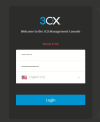
Hi guys, i know there a lot of threads, but most of them if not all just states you need to restart 3CX's service and/or is associated to Hosted 3CX, which is not my case, i run a on-premises Windows install.
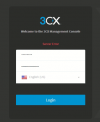
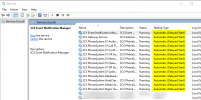
In my recent incident (last Thursday), the service was not stopped on the Windows Server. But restarting its service (3CX Management Console - also 3CX Gateway which is service dependant) got me back logging as well as restablishing 3CX presence and agenda.
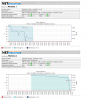
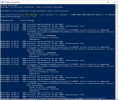
Since the service was running, i wasn't able (although i did it anyway) to find any event log errors, 3CX console logs doesn't such much too, our port probe with PRTG did not triggered (TCP 5000/TCP 5001), we didn't receive 3CX notification email abouts its services, download support file to look into with 3CX log viewer it also didn't help, since there wasn't info from incident time - i went to collect it later.
Does someone know what does it trigger this service malfuncion? How to solve and/or proper monitor it?
Associated links that i dug it through before posting this.
https://www.3cx.com/community/tags/server-error/
https://www.3cx.com/community/threads/management-console-login-server-error.76111/
https://www.3cx.com/community/threads/server-error-while-logging-in-to-management-console.86082/
https://www.3cx.com/community/threads/3cx-management-console-server-error.81917/
https://www.3cx.com/community/threads/server-error-when-trying-to-login.80478/
https://www.3cx.com/community/threads/server-error-on-login-page.64783/
https://www.3cx.com/community/threads/unable-to-log-in-server-error.62236/
https://www.3cx.com/community/threads/3cx-v15-server-error-or-bad-gateway.54763/
https://www.3cx.com/community/threads/server-error-on-3cx-management-console.53870/
Regards,
Rafael da Costa
In my recent incident (last Thursday), the service was not stopped on the Windows Server. But restarting its service (3CX Management Console - also 3CX Gateway which is service dependant) got me back logging as well as restablishing 3CX presence and agenda.
Since the service was running, i wasn't able (although i did it anyway) to find any event log errors, 3CX console logs doesn't such much too, our port probe with PRTG did not triggered (TCP 5000/TCP 5001), we didn't receive 3CX notification email abouts its services, download support file to look into with 3CX log viewer it also didn't help, since there wasn't info from incident time - i went to collect it later.
Does someone know what does it trigger this service malfuncion? How to solve and/or proper monitor it?
Associated links that i dug it through before posting this.
https://www.3cx.com/community/tags/server-error/
https://www.3cx.com/community/threads/management-console-login-server-error.76111/
https://www.3cx.com/community/threads/server-error-while-logging-in-to-management-console.86082/
https://www.3cx.com/community/threads/3cx-management-console-server-error.81917/
https://www.3cx.com/community/threads/server-error-when-trying-to-login.80478/
https://www.3cx.com/community/threads/server-error-on-login-page.64783/
https://www.3cx.com/community/threads/unable-to-log-in-server-error.62236/
https://www.3cx.com/community/threads/3cx-v15-server-error-or-bad-gateway.54763/
https://www.3cx.com/community/threads/server-error-on-3cx-management-console.53870/
Regards,
Rafael da Costa