Session Border Controller - Raspberry Pi No, Windows 10 Yes

Status
Not open for further replies.

Bob Denny

SOHO User
Joined
Feb 21, 2009
Messages
195
Reaction score
17
I host the switch on Google Cloud because of the fine-grain access their firewall provides. We have a mixture of 3CX iOS apps and some old (unsupported) Cisco SPA-112 ATAs for Panasonic Cordless. These ATA’s have been working flawlessly for 5+ years. Three days ago they stopped working. Our awesome 3CX partner Cobalt-IT in the SF Bay area worked with me to discover that the ATAs weren’t getting through to the switch on Google. So he recommended I install the Session Border Controller as a way to slice and dice the problem. Since I have several “lab” Raspberry Pi’s here I decided to put the SBC on one. That turned into a multi-hour adventure (not unusual for Linux but WTF). Per Barry at Cobalt-IT the RPi SBC is for “Buster” and I have the current “Bulldog” 64 bit. Inn any case the SBC installation was a bad scene:
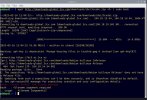
CE12CBDB-B039-4F96-B0C2-9F67270CD947.jpegat

So I grabbed a Beelink GK micro-PC with updated Windows 10 and a static IP on 192.168.0.xxxx. The SBC install completed in 90 seconds. I then put its 192.168.0.xxx into the outbound proxy address of each ATA Line info, made sure “use Outbound Proxy” was set, hit OK, and BooYah…. all of the ATAs came online. A shout-out to Barry at Cobalt IT for the help. The bottom line for 3CX is that the Raspberry Pi SBC install package is likely out of date or otherwise broken. I skipped all the stuff I tried to get it to install and all of the screenfulls of Linux errors. I have no clue why those ATAs quit working 3 days ago but it might be related to the 3CX update ?!?!?!
 
Haven’t installed on a Pi in a while but if you used the 3CX image you shouldn’t have the wrong OS?
https://www.3cx.com/docs/installing-pbx-raspberry-pi/

Also FWIW the SBC can be Debian and/or a VM as well, but if you have a spare Windows one then of course that’s already running.
 
So typical Linux .. which “Linux” “distro” whatever. As I said I had an already running Pi 4 64-bit with it’s latest OS and on static IP not DHCP, thus I ignored the stuff on how to get the Pi set up and set the static IP (itself a trip back to 1982). Then I got a screenful of cryptic errors. PS I do a lot of work on Linux by necessity and I like its flexibility and the tinkering. Sort of. I’m not an OS bigot.

For many years Windows (no “distros”) has remainned backward compatible. I’ll bet the SBC installer and the SBC itself will run on Windows 7 (relesed in 2009!!). Amazing.
 
The bottom line for 3CX is that the Raspberry Pi SBC install package is likely out of date or otherwise broken.

Hi Bob, I gotta say that's a weird conclusion given that Barry was indeed correct - The packages are meant for Buster 10 and you were running Bullseye 11 - the OS requirements were not being met.

We do provide the correct image in our handy guide here if you want to give it another shot and free up your Beelink for another project: https://www.3cx.com/docs/installing-pbx-raspberry-pi/
 
OK, thanks I’ll keep that in mind. I was trying to install the SBC as a troubleshooting tool so wanted to put it on a running lab pi without creating a new (but out of date) OS build on a separate uSD card. So yeah I didn’t follow the directions explicitly. Once I had it running on the (unused) Beelink I just wanted to move on ha ha.
 
Bob, For what it’s worth the sbc for windows doesn’t install on windows 7, 8 or 8.1.
 
Ha ha well OK. But it should install on the current (as of Nov 2021) Raspberry-flavored Debian.
 
Postscript: I found an ancient Raspberry Pi 3 in a drawer, then started with a blank uSD, followed the entire set of directions, and ended up with a $30 SBC. My apologies for being an elitist. Thank you.
 
Well don’t laugh but I believe the Pi 3 isn’t officially supported, just 4. It will work though, we have a few in service.
 
Well don’t laugh but I believe the Pi 3 isn’t officially supported, just 4. It will work though, we have a few in service.
True, it will work although the hardware is a bit underpowered compared to Pi 4 so you might not get the best experience and quality of service. It will not be able to handle as much traffic, but if you just have a few extensions with not too many BLFs you should be fine especially in a lab environment.

An interesting note: The Pi 4B can handle up to 50 phone devices (10 BLFs per device) and about a total of 64SC assuming you are using the official PSU and a good case with a heatsink to prevent CPU throttling.
 
I'm only running an SBC on the Pi 3 not the entire switch. We are a very small office, 1-2 simultaneous calls 99%
 
@JohnS_3CX Do you have some insights about the availability of the SBC on debian 11 ? Will it be released soon ? thanks for your help
 
@JohnS_3CX Do you have some insights about the availability of the SBC on debian 11 ? Will it be released soon ? thanks for your help
I'm afraid not, I don't have any details on that..
 
  • Like
Reactions: mls.nicolas
Dont forget you can use some of those new fangled SBC phones, kill 2 birds with a shotgun approach.
Also the foot print in windows is very small so it can be run anywhere you're allowed
 
Status
Not open for further replies.

Forum statistics

Threads
111,974
Messages
590,081
Members
164,899
Latest member
mazet