Dear Mr.Rsatj,
Kindly try this & remember that for each total dialing digits (10/12/16/20...etc) you have to make separate outbound rules.
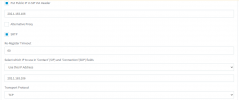
DISABLED SRTP & set Transport Protocol as ANY, then try below outbound rule, if successful then try to change SRTP & Transport protocol but be sure that your SIP really authorized/work on this.
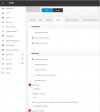
For Outbound calls, you should make the Outbound rules simply then it would work, as you made it already so here I'm re-writing which maybe re-gain you if you missed something:-
1. Calls to numbers starting with prefix - 00
2. Calls from extension(s) - MENTION THE EXTENSION OR if more then add with comma BUT NO SPACE
3. Calls to Numbers with a length of - EXACT LENGTH, IF MOBILE NUMBER IS "0091 0123456789" = 14DIGITS SO MUST MENTION 14, IF DIALING LANDLINE NUMBER OR ANY OTHER COUNTRY WHICH MAYBE 12 OR 16 OR MORE THEN MAKE A SEPARATE OUTBOUND RULE FOR EACH AS one rule for one type of dialing. Each Outbound rule will auto-detect, don't worry.
4. Calls from extension group(s) - leave it OR if you made DEFAULT group & Want to give the access to all then add the same group.
5. Make outbound calls on - In the Route 1 choose SIP name then choose 0 in Strip Digits, leave Prepend blank, choose Outbound Caller ID
Dial like this 00910123456789 where 00 triggers the OUTBOUND RULE & as an International call + total 14digit trigger the exact length for this rule.
Save it & try...
B.regd
Mayank Gupta