Solved Sharepoint remote storage resulting in 0 byte files for backups

Status
Not open for further replies.

CG-BEMA

Silver Partner
Basic Certified
Joined
Aug 11, 2022
Messages
6
Reaction score
3
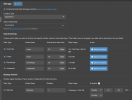
I am trying to utilize Sharepoint for remote storage since the path is leading toward archiving being a requirement for 3CX Hosting. The integration is set up, permissions have been granted, and the folder created in the root Sharepoint site. I've selected the folder without issue and saved the settings.
1769785519078.png

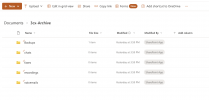
All the folders are created without issue in Sharepoint:
1769785559444.png

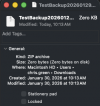
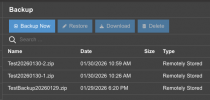
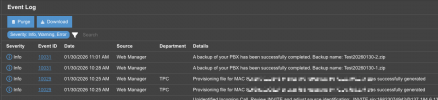
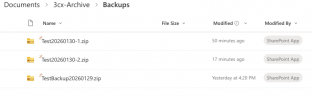
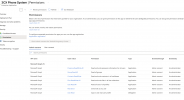
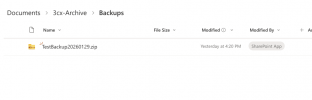
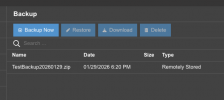
However when running a test backup I am ending up with a zero byte file in Sharepoint despite the event logs in 3CX stating that the backup completed successfully.
1769785614620.png
1769785630309.png


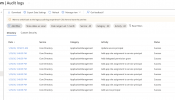
There doesn't seem to be much else to look at here to determine a root cause of the failure since the 3CX system believes it has been successful. Has anyone run into this issue before?
 
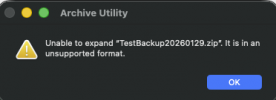
Regarding your question, if you download the file from the SharePoint folder and open the zip file, does it open, and do you see the folder sites with data in them?
 
The downloaded file is 0 bytes and unusable.

1769789639539.png 1769789652434.png

Chris
 
Did you wait for the backup to complete?
 
The backup completed yesterday at 6:20pm and the download was just now. I'll kick off another test today to see if anything was just delayed on the back end, but this was tried multiple times yesterday with the same result.
 
I woudl also suggest checking the SharePoint logs to see if any errors are logged there, as we don't have any issues with remote storage for SharePoint backups, and this should work.
 
I ran a test today, verified that the logs show backup completed, then checked sharepoint to find zero byte file. I re-ran the authorization for the integration and ran another backup, same result.

I have noted that it seems to only take about 3 minutes to complete the backup (according to log) from when the file is created in the backup view.

1769793539828.png

1769793583506.png


1769793606732.png

1769793629442.png


1769793672307.png

In the above, the "Update Service Principal" would be when i ran the reconfigure and authorized it again.

Unfortunately I'm not finding anything else useful in the Sharepoint or Enterprise App to point to an issue.
 
Can you confirm that temporarily setting the backup back to local does indeed give you a valid zip that you can download from the PBX?
 
  • Like
Reactions: Evolute IT
Can you confirm that temporarily setting the backup back to local does indeed give you a valid zip that you can download from the PBX?

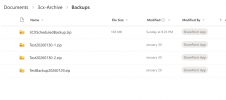
Sorry for the lag in response. Yes, the local backup worked and is valid. Interestingly, after leaving the storage set up I found that he archive and scheduled backups to Sharepoint worked, despite a manual backup run not working.

1770913908851.png

The only other possibility is that the backup failed to work due to the size of the data, and it worked properly only after the archives ran and reduced the dataset.

I'll keep watching it, but hopefully it is resolved. I'll also try some manual backups to see if they will work post-archiving.

Chris
 
Status
Not open for further replies.