Sharing webmeeting, Office 365 apps don't appear.

Status
Not open for further replies.

IT Lainco

Customer
Joined
Jan 22, 2021
Messages
5
Reaction score
0
Hola,

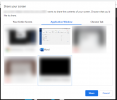
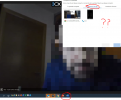
Al realizar reuniones web y compartir la ventana de la aplicación, las aplicaciones de Office 365 no aparecen.

Si lo hago con Office 2016 o 2013 si aparece.

¿Es un error 3cx?

Captura de archivos adjuntos

Gracias por la ayuda
1612163523852.png
 
Hello @IT Lainco,

We've tested it on our side using Office 365 and it works for us.

Screenshare_Word.png

Is your browser, Windows and Office 365 all up to date? Have you ensured that an office 365 product is open at the time when sharing?

FYI: If you would like assistance in Spanish, please open a post in the Spanish Forum.
 
Hola,


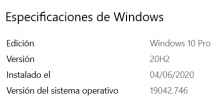
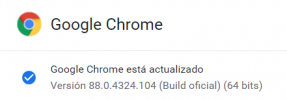
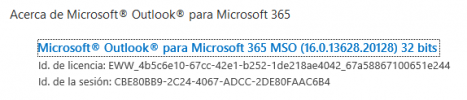
Todo está actualizado (O365 + Windows 10 + Chrome) y no funciona ...
 

Attachments

  • image (2).png
    image (2).png
    10.6 KB · Views: 4
  • image (1).png
    image (1).png
    12.8 KB · Views: 4
  • image.png
    image.png
    11 KB · Views: 4
Hi @IT Lainco

3CX Webmeeting can only share whatever Chrome has access to.

If certain apps do not appear in the share screen, it means your browser cannot see those apps for some reason on that specific computer you are using. Perhaps you should try this on other computers too and try to find what prevents Chrome from seeing your apps. Perhaps Chrome is not running with sufficient rights to be able to capture those apps.

By the way, in your screenshot above, it appears that neither Word nor Powerpoint were running at the time. Chrome can only share windows of apps that are currently running.
 
  • Like
Reactions: N_G
Status
Not open for further replies.

Forum statistics

Threads
111,973
Messages
590,078
Members
164,896
Latest member
sameage