- Joined
- Sep 25, 2020
- Messages
- 47
- Reaction score
- 10
Hi All,
Our client wants the call information to display which ring group is being called when an inbound caller selects an option within their IVR.
For example when a caller selects option 1 in IVR, and it goes to their "General Enquiries" ring group, they want that to be displayed.
Currently, when an inbound call comes through, and they select any of the options, it just shows inbound called ID + the IVR name. No ring group information, so they don't know which department they have selected.
Call routing as follows:
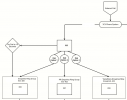
Inbound call/trunk > IVR (three options) > Ring groups.
Our client wants the call information to display which ring group is being called when an inbound caller selects an option within their IVR.
For example when a caller selects option 1 in IVR, and it goes to their "General Enquiries" ring group, they want that to be displayed.
Currently, when an inbound call comes through, and they select any of the options, it just shows inbound called ID + the IVR name. No ring group information, so they don't know which department they have selected.
Call routing as follows:
Inbound call/trunk > IVR (three options) > Ring groups.