Show incoming phone number on phones

Status
Not open for further replies.

american10

Bronze Partner
Basic Certified
Joined
Jun 9, 2016
Messages
100
Reaction score
4
Hello. I have a setup that has two incoming DIDs and we need to answer the calls differently based on which number was dialed to call in. Both phone numbers ring all phones.

We have Fanvil x6u/x7/x4u phones here and we need the DID that was dialed to show up on the phone. Or we really just need some way to identify which number the caller dialed so we know how to answer the phones, if there is a better solution to accomplish this.

How can we go about doing this?
 
Last edited:
guessing you are using ring groups or queues to route to calls to multiply phones.

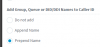
Management console - Advanced - Contacts - Options

1599751991028.png
 
guessing you are using ring groups or queues to route to calls to multiply phones.

Management console - Advanced - Contacts - Options

View attachment 18009

Yes, we are using ring groups for all incoming calls. This setting will show the DID that the external caller dialed?
 
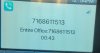
This is what I see on my phone.

The top number is the caller's phone number. The "Entire Office" is our internal ring group.

fanvil_id.jpg
 
So it works fine , you see RG name followed by caller number
 
So it works fine , you see RG name followed by caller number

I didn't consider creating two ring groups with different names and then routing the calls based on that. Thank you! So simple and I was trying to make it difficult.
 
This is what I have setup now, but it still isn't working.

I created two ring groups, both going to the same list of extensions, but the ring groups are labeled to match the DIDs. So I have one ring group called "Office" and one called "Test".

I have two inbound rules, one for each DID. The first DID goes to the "Office" ring group and the second rule points the second DID to the "Test" ring group.

I call both numbers from my cell phone and my 3cx phones show "Office:<cellphonenumber>" regardless of which number I'm calling from.

This makes no sense. What am I missing?
 
surely this is because your number set in inbound rule is not matching whith the one received from sip provider so trunk is doing a catch all and don't follow your rules
 
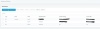
Here are my rules:
inbound_rules.PNG
 
The catch-all sounds like that might be what's going on, but I don't see anything incorrect in my settings. I'm using the correct 10 digit number and it matches what is in my trunk provider's DID list.
 
try *8468 for the first and *2346 for second
 
see in activity log when you call what are messages, increase log to verbose
 
this is the last 4 digits of each did you paste in your screen copy , so change your inbound rules and set one with *8468 and the other with *2346 see on my screen copy this same spirit
 
starting with * means it doesn't care what's before 8468
 
starting with * means it doesn't care what's before 8468

If I try to type *2386 into the DID field of the inbound rule, it replaces it will the full 10 digit DID.
 
set your DIDs like that in trunk
1599762906677.png
inboud rule like that
1599763054394.png
 
I changed the DIDs to *8468 and *2386 in the sip trunk and it was reflected in the inbound rules, but it still isn't working. Both DIDs are still routing to the same Office ring group.
 
look in your activity log, set it in verbose mode and search for messages related to what happens when you do a call test.
is there really a rule applied if so you should see
 
can you paste what in your RGs?
 
Status
Not open for further replies.

Latest Posts

Forum statistics

Threads
111,962
Messages
589,995
Members
164,867
Latest member
swegner