Show incoming phone number on phones

Status
Not open for further replies.

american10

Bronze Partner
Basic Certified
Joined
Jun 9, 2016
Messages
100
Reaction score
4
Hello. I have a setup that has two incoming DIDs and we need to answer the calls differently based on which number was dialed to call in. Both phone numbers ring all phones.

We have Fanvil x6u/x7/x4u phones here and we need the DID that was dialed to show up on the phone. Or we really just need some way to identify which number the caller dialed so we know how to answer the phones, if there is a better solution to accomplish this.

How can we go about doing this?
 
Last edited:
i'll come back in a moment i'm going to eat diner
 
From my activity log. 801 is the Office ring group, which isn't where this DID should be routed. It should be getting routed to 802.


09/10/2020 2:50:12 PM - [Flow] Building target endpoint to 100 from "Office:7168611513" <sip:[email protected].3cx.us:5060>
09/10/2020 2:50:12 PM - [Flow] Call(C:37): has built target endpoint: RingAll:801 for call from L:37.1[Line:10000<<7168611513]
09/10/2020 2:50:12 PM - [Flow] Building target endpoint to 801 from "7168611513" <sip:[email protected].3cx.us:5060>
09/10/2020 2:50:12 PM - [CM503010]: Call(C:37): Making route(s) from Line:10000<<7168611513 to <sip:801@removed:5060/UDP>
 
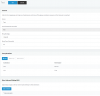
Here is my ring group (802) that it should be getting routed to:

ring_group.PNG
 
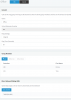
Check the activity log to see if your provider is sending the ddI number or your main number
 
this is not your RG you pasted but DID
 
and the other one 801
 
if you call internally RG 801 or 802 is it working like it should ?
 
Both, if not answered, are set to end call (that part got cut off). I removed a bunch of extensions to take the screenshot to make it fit.
 
this sounds good for what i see , did you try an internal call test on RGs?
 
do you have another main number for your trunk and what did you set in trunk route for main number?
Or is one of the 2 numbers the main trunk number and second one a DID ?
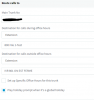
Let me know what's here on your trunk settings
1599766420765.png
 
Last edited:
I figured out the issue. My sip provider has two settings for the account, PBX or Device. The account was set to device. I switched it to PBX and it is now working.

It wasn't a 3CX issue after all. I really appreciate the help here. It got me to check the sip provider side to see what number they were sending and that led to finding out the issue.

Thank you!
 
  • Like
Reactions: AWS2P
Well done , you fix it:):p
 
Last edited:
  • Like
Reactions: american10
Status
Not open for further replies.

Latest Posts

Forum statistics

Threads
111,962
Messages
589,993
Members
164,867
Latest member
swegner