Side pop up when receiving calls

TopChoice

Customer
Joined
Nov 2, 2023
Messages
2
Reaction score
4
When you are working on the admin console and receive a call from someone, on the right hand side a pop up will show up with the person who is calling you I can't find a way to hide it.

This is specially annoying because when you are trying to solve an issue on 3cx for the person who is calling you have to tell him to hang up so that pop up goes away.

Is there a work around to hide this side pop up when someone calls?
 
No.

You can either put yourself in a status that isnt Available or press the dialer icon to hide it (though will come back very quickly).

Though, if you're on the call with that person, the dialer will close and stay closed.
 
When you are working on the admin console and receive a call from someone, on the right hand side a pop up will show up with the person who is calling you I can't find a way to hide it.

This is specially annoying because when you are trying to solve an issue on 3cx for the person who is calling you have to tell him to hang up so that pop up goes away.

Is there a work around to hide this side pop up when someone calls?
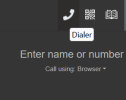
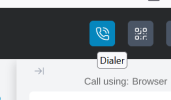
While on the call (or even when you aren't on a call) just press the handset icon above the dialler, top-right of screen. It'll be labelled 'Dialler' as you hover over it. This will make the dialler "exit stage-right". Just press it again to get it back.

V8
Screenshot 2026-04-24 105516.png


V9
Screenshot 2026-04-24 105557.png
 
Thanks for your input this solved my issue.
 

Latest Posts

Forum statistics

Threads
112,280
Messages
591,668
Members
165,400
Latest member
georgi