Simply setting the time

Status
Not open for further replies.

Annthonyridge

Joined
Jul 5, 2018
Messages
5
Reaction score
1
I am trying to simply set the time on my PBX because its throwing of the customers work hours and after hours IVR.I am int the Bogota Lima -5 timezone however i am not seeing the opting to set it to this .I have tried setting it in the terminal however i am getting error message tme cannot be set .Is there a simple way to do this the clock is currently set to Havana Cuba which is 1 hour off My time .Please can i get some assistance
 
Settings >> Parameters search for "NTP Server". Check this out.

Also you can set the timezone manually here or under each extension in the Provisioning tab.
 
Thanks for your reply however I am just interested in setting the time on the server .I will deal with the phones at a later date .I have checked the parameters and its set to Capture2.PNG Capture2.PNG Parameters.PNG
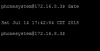
still incorrect time by one hour .I even try to set it by the terminal still incorrect time
Capture3.PNG
Its this an issue with the hardware clock .System is installed on debian


As a workaround, try in Settings-> Timezone , select Mexico time -6 which at the moment should reflect your local time correctly.

What i think is happening is that daylight savings 1 hour adjustment for Havana time is in effect, throwing your time out by 1 hour. Similarly, Mexico is in time zone -6 GMT + 1 for daylight saving = -5 GMT which should work for you for a few months i suppose.

Not sure how you can enter a custom time timezone in 3CX though...?
 
Mexico -6 seem to work fine.Thank you
 
  • Like
Reactions: Robertos
Status
Not open for further replies.

Forum statistics

Threads
111,889
Messages
589,571
Members
164,753
Latest member
GemmaC