Solved Since v16 update, new recordings not showing in chrome webclient

Status
Not open for further replies.

myrich22

Forum User
Joined
Feb 24, 2020
Messages
30
Reaction score
1
Hello,
I updated to 16.0.622 this morning. Any records prior to the update are working normally. However, new recordings are not visible in chrome client. They are on the windows pbx server as usual but a regular user doesn't have access.
Ideas?
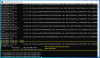
3cxrecordings.png

 
Looks like system updated to 16.0.641 now. New recordings are still not visible. Not showing even in the "Recordings" from the PBX admin console. But, the wav files exist normally in the file system with the pre-update wavs. I tried moving the location but that didn't help. Seems like they should appear in the admin console for sure. Ideas?
 
From the management console, I purged all recordings. Then I removed all WAVs from disk. Then from the console, I moved locations again. So, in theory, should be totally clear, no old records or files. I did a new recording, extension sub-directory created normally and it contained the wav I just recorded. Unable to see recording in management console or with chrome client. So, the recording part is working, just users can't access the files. :(
 
Can you reboot the machine and try again.
 
Please log in using an incognito window, just to eliminate any possibility of a stale browser cache
 
Hello, I tried the reboot and also incognito window. NO recordings made since the update are showing in the PBX management console or in users chrome recordings screen. As mentioned, the WAVs are being created on the PBX's local drive in the location specified. Any more ideas?
 
Hi @myrich22

Please go to Activity Log, click Settings and set your logging level to verbose.

Then, restart all the services (or the VM) and once it comes back online, make a couple of calls to replicate the issue. Ensure that the recording was made in the folder and that it does not appear in the management console, just like before.

Once verified, please generate a support info file like so:

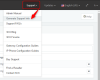
Top right corner of your management console:

1. Click Support
2. Click Generate Support Info
3. A link will arrive in your email shortly
4. Download the file from the link
5. Upload it in a publicly accessible folder and send me a link to grab it (in a private conversation, do not post it in the public forum)
1598856050638.png

We can take a look and see if we can help
 
I've created the file and sent JohnS a message with the link.
Thanks! Rich
 
  • Like
Reactions: JohnS_3CX
Hi Rich,

The old ones will not appear for now, but can you confirm that the new recordings from today are still not appearing?
 
Hello, yes the new ones are still not appearing today. I searched this forum some more and found the "RECS_SYNC_REQUIRED" = 1 work around. I tried the sync, the unlisted recordings appears but new recordings still not appearing.
 
Hi Rich,

It should be ok now, we cleared a database error that was preventing the system from writing to the DB.

Monitor it for a while and in case you have any issues in the future let us know.
 
Status
Not open for further replies.

Latest Posts

Forum statistics

Threads
111,962
Messages
589,980
Members
164,864
Latest member
SCarpenter@fifthavenue-la