SIP-account registration problem

Status
Not open for further replies.

Evgeny

Premier Customer
Joined
Jun 14, 2017
Messages
6
Reaction score
0
Hello,

We have some Yealink SIP-T58V in our organization. And we were faced on problem with SIP-account registration.
For example, If we use USER_NAME=1111 and PASWORD=qwerty – everything is ok, but when we change USER_NAME to some mix of letters and digits (asd63HdgR5),
Phone cannot register SIP-account. We have registration error. We use 3CX PBX v15.5.0 in our organization. And change USER_NAME on both sides – PBX and phone.
I think problems concerns to symbols used in USER_NAME fild.
Phone Firmware ver. 58.80.0.40 build 55.2.3.0.0.0.0
Would you help us to resolve this problem.


In accordance to Yealink TechSupport team (from Phone-log files):

I make an analysis on our side, the phone seems sent those info correctly to server side, ubt the server side feedback 404 to the phone.
1/ The phone sent register to server side,
2/ Server side ask Authentication.
3/ The phone sent register agian with Authentication info.
But after that the server side feedback 404.
From all info, we found the phone sent all info correctly.
So I recommend you check on the server side why it feedback 404.

Thanks
 
Hello @Evgeny

Are you referring to the authentication ID of the extension? Also what version PBX are you running? You can see the exact build number on the Dashboard, under the Information column next to the licence version. For example 15.5.15502.6.
 
Hello, YiannisH_3CX
Yes, I mean "Authentication ID" of Extension. Our License - Enterprise Perpetual 15.5.15502.6.

Thanks
 
Please note that i am running all my Yealink devices with extension Authentications Ids that consist of 10 digit alphanumeric values and the phones register correctly. With that in mind i would recommend upgrading the phones to the 3CX supported firmware and try again.
https://www.3cx.com/support/phone-firmwares/
You could also try factory resetting a phone after the Auth ID change and try to re-provision it.
 
YiannisH_3CX,

1. I've reset phone to factory settings
2. Update Firmware from your link above
3. Try to add account on phone WEB-interface

But no results. "Register Failed"
 
1. I've reset phone to factory settings
2. Update Firmware from your link above
3. Try to add account on phone WEB-interface

But no results. "Register Failed"
Can you try to auto-provision the phone and see if that works? Also try creating a new extension. The new extension should have a similar auth ID and password configured. Try to provision the phone to that extension as a test without changing the credentials as a test. Does that work?
 
Hi,

I created new SIP-Account and tried to connect. But no result. "Register Failed".
How can I try Auto-provision?

Some SIP-Log Information from 3CX:

05.09.2018 11:55:22 - [CM102001]: Authentication failed for AuthFail Recv Req REGISTER from 10.10.1.48:5060 tid=3796344919 [email protected]: REGISTER sip:10.0.10.10:5060 SIP/2.0 Via: SIP/2.0/UDP 10.10.1.48:5060;branch=z9hG4bK3796344919 Max-Forwards: 70 Contact: <sip:[email protected]:5060> To: "5001" <sip:[email protected]:5060> From: "5001" <sip:[email protected]:5060>;tag=3275703867 Call-ID: [email protected] CSeq: 2 REGISTER Expires: 3600 Allow: INVITE, INFO, PRACK, ACK, BYE, CANCEL, OPTIONS, NOTIFY, REGISTER, SUBSCRIBE, REFER, PUBLISH, UPDATE, MESSAGE Proxy-Authorization: Digest username="5001",realm="3CXPhoneSystem",nonce="414d535c11a02af911:66b087a27f3fb46527aacbc56c8e33b1",uri="sip:10.0.10.10:5060",response="6f3d918e319a5f48a3013f71ae81a9fe",algorithm=MD5 User-Agent: Yealink SIP-T58 58.80.0.65 Allow-Events: talk, hold, conference, refer, check-sync Content-Length: 0 ; Reason: Credentials don't match, check that authorization-ID and password match the ones in extension settings
 
Last edited:
When I start AutoProvision, on Phone everything is OK - "Done", but account does not appear in account list. And on 3CX this SIP-Account (5001) is red (not connected).
 
By the way, we have no problem with D-Link DPH 150S SIP-Phone. Using this model I connect correctly.
 
This article seems to suggest there are known issues with Proxy Authentication.

Any suggestions with the following would be greatly appreciated -?-


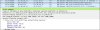
We observe this "407 Proxy Authentication Required" (see attached screenshot) and wonder if there is something here causing the Firewall check to fail in "testing 3CX SIP Server" and "detecting SIP ALG." SIP ALG is turned off. In addition, we are forced to manually provision all our phones. Nothing like this happens using GCP or AWS instances. Only on our local LAN.

We've carefully following all the online documentations, and checked PCAP for hours on end.

Debain v15.5xxxx6
VMWare ESXi v6.5
Upgraded successfully from v14
Sonicwall TZ300w
Yealink T42G, Y46G, T48G
3CX Phone System Pro Edition features

407 Proxy Authentication Error.jpg
 
Last edited:
Status
Not open for further replies.

Latest Posts

Forum statistics

Threads
111,894
Messages
589,601
Members
164,763
Latest member
Techmansam