Solved SIP Server won't start

Status
Not open for further replies.

lee3cxp1

Customer
Joined
Sep 8, 2013
Messages
13
Reaction score
0
Hello,

I am migrating 3CX from a dedicated box to a VM guest (ProxMox-based) and everything is going fine except for SIP Server won't start. Nothing shows up in the logs. This is what systemctl status 3CXPhoneSystem01.service gives:

Code:
● 3CXPhoneSystem01.service - 3CX PhoneSystem 01 SIP Server
   Loaded: loaded (/lib/systemd/system/3CXPhoneSystem01.service; enabled; vendor preset: enabled)
   Active: inactive (dead) since Wed 2021-03-31 01:10:03 CEST; 4min 46s ago
  Process: 6238 ExecStopPost=/bin/rm -f /var/run/phonesystem/3CXPhoneSystem01.pid (code=exited, status=0/SUCCESS)
  Process: 6211 ExecStart=/usr/sbin/3CXPhoneSystem -p /var/run/phonesystem/3CXPhoneSystem01.pid /var/lib/3cxpbx/Bin/3CXPhoneSystem.ini (code=exited, status=0/SU Main PID: 6211 (code=exited, status=0/SUCCESS)

Mar 31 01:09:57 contact systemd[1]: Starting 3CX PhoneSystem 01 SIP Server...
Mar 31 01:10:03 contact systemd[1]: Started 3CX PhoneSystem 01 SIP Server.

Can you please suggest how I can troubleshoot this?

  • 3CX Version, Perpetual 16.0 Update 8 (Build 9)
  • Server OS, Debian 9.13
  • Is the 3CX Server Hosted and where? Hosted on my own ProxMox 6.3
  • IP Phone Make/Model/Firmware All 3CX web-based
  • Provisioning Method: Local / VPN / STUN / SBC All web-based, no soft or hard phones
  • Trunk Provider or Gateway Make/Model CallCentric
  • Has the Firewall Checker passed: YES
  • Are custom Phone Templates being used: NO
 
To add more detail to this:

I installed Debian 9.13 from the "netinst" ISO and then added the 3CX PPAs and ran installation. I also tried the 3CX ISO but because the VM doesn't have network connectivity initially, it could not get the 3CX installation files. In both cases the SIP server doesn't start.

Also, if it matters, I'm using the License Key from my self-hosted 3CX installation that's on the dedicated box. That one is tied to another subdomain while this new installation has a new subdomain. I also tried with same subdomain but same problem.

Hopefully someone can point me in the right direction here.
 
Are you doing KVM or LXC virtualization?
 
ProxMox is not supported and as I know from past forum posts is that the Nic is presented as a pseudo-interface that we cannot read or use. We support
  • MS HyperV
  • Vmware ESXi
  • KVM
  • Citrx
https://www.3cx.com/docs/manual/installing-debian-linux-pbx/#h.5hoy5wwhhk5c

I am using KVM-based container on ProxMox, which means it's fully separate guest with its own kernel, network, etc. If you support KVM, it should work with my setup, as well.

Is there any way to troubleshoot the SIP server to see more details?

Thanks!
 
as stated before, whatever you put on top of ProxMox has only a pseudo interface, the log error you will see is "cannot acquire local network" as other users had it before. Use a native base hyper-visor and you will be good to go.
 
I am getting the same problem with SIP server not starting on a barebones Hetzner dedicated server. Running Debian 9 (not the ISO, 3CX installed afterwards). I installed with a restore file from another server where 3CX runs fine. The URL is changing but the new domain has its own SSL certificate, which I input during the web-based installation.

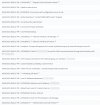
The logs show message with an Exception being thrown when opening TCP port or something. See attached screenshot of the logs.

Please help someone.
 

Attachments

  • 3cx-exception-error.jpg
    3cx-exception-error.jpg
    235.8 KB · Views: 7
To add more detail to this:

I installed Debian 9.13 from the "netinst" ISO and then added the 3CX PPAs and ran installation. I also tried the 3CX ISO but because the VM doesn't have network connectivity initially, it could not get the 3CX installation files. In both cases the SIP server doesn't start.

Also, if it matters, I'm using the License Key from my self-hosted 3CX installation that's on the dedicated box. That one is tied to another subdomain while this new installation has a new subdomain. I also tried with same subdomain but same problem.

Hopefully someone can point me in the right direction here.
They don't support installing on top of Debian anymore also. Would be best to use the 3CX Debian iso.

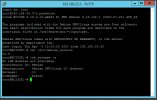
It appears they have also updated it to Debian V10 in preparation for 3CX V18 as below is my 3CX Debian info:
3cx_debian.PNG
 
They don't support installing on top of Debian anymore also. Would be best to use the 3CX Debian iso.
Wow, this would suck.

@StefanW, is this true? Because in the previous posts you said the fault was with ProxMox as a hypervisor.

Thanks
 
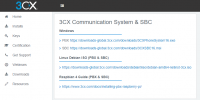
Just to clarify I said that since you mentioned adding the PPAs. The 3CX customized installer from the customer site is supported and has the 3CX PBX requirements.
3cx.png
 
Well, consider this mystery solved.

The problem is that 3CX doesn't like it when IPv6 is disabled in /etc/default/grub. I always disable IPv6 because I don't really use it in my networks.

Once I re-enabled IPv6 and uncommented the listen directives in Nginx configuration files, everything came up online.

Another piece of good news is that this works on ProxMox, too, contrary to the answers I got in this thread previously. I would love it if this new bit of information is written down somewhere so that 3CX support staff is actually informed when someone else asks in the future.

[Rant]
I think dismissing similar issues as being in an "unsupported environment" really makes 3CX look like you don't know or care about more complicated issues, unless the person asking is actually paying for dedicated support. Maybe this is works for your bottom line and maybe this is how you grow to become like the Oracles and other vendors that have crazy pricing structures but I don't like it all.
[/Rant]
 
Hi @lee3cxp1 ,

First of all I'm glad to hear you resolved the problem!

About your remarks, shortly after making 3CX available on Debian some years ago, we soon realized that there is so much diversity from one Debian enviroment to another that caused issues with the software, that we decided we need to to remove the "diversity" factor, hence why we created the "3CX ISO".

We also realied around the same time that Hypervisors in some cases greatly affect how underlying software runs inside the VM (especially in our case), so that is why we recommend only the Hypervisors we do, which we test.

Having said this, we clearly state that you should install using the ISO and a Tested/Supported Hypervisor, and to not install any additional software or make modifications to the OS.

We don't want to become like other vendors with ridiculous pricing, but if you expect 3CX to be tested on every enviroment combination, on 25 different Hypervisors and Hosting Providers, for every release, then this will certainly bring the cost up.

So, to avoid exactly what you said you don't like, we suggest sticking to the simple guidelines we lay out.

I hope I didn't come off as antagonizing, just sharing my thoughts.
 
Status
Not open for further replies.

Forum statistics

Threads
111,974
Messages
590,081
Members
164,899
Latest member
mazet