Skype gateway does not register to 3CX

Status
Not open for further replies.

ufgeorge

Joined
Jan 26, 2010
Messages
15
Reaction score
0
Hi,

I follow document to install and config Skype for 3CX.
Everything seems fine.

After complete, at gateway monitor, I see Skype status is Online -On hook.
But PBX status still "Not registered".

I double check port 6060 and id, password are correct both PBX and gateway.

I can't find out which part I missed. Please help.

George
 
Hi, George

If you think everything is ok, then you will have to check either PBX's log, either gateway's one.
For the gateway, start it, click the channel showing "not registered", then from the right-click menu, choose Tracelog and have a look to see which might be the reason (search for Error keyword)

vali
 
I do see error in 3CX log:
[CM102001]: Authentication failed for SipReq: REGISTER 127.0.0.1:5060 tid=8376ae20af269d08 cseq=REGISTER [email protected]:6060 / 2 from(wire); Reason: Credentials don't match, check that authorization-ID and password match the ones in extension settings

But I pretty sure all info are correct.
I change setting both on 3CX and Skype gateway several times.

That is what I can't understand...
 
What it means "SIP error code 404"?

I saw trace error on gateway.
 
ufgeorge said:
What it means "SIP error code 404"?
I saw trace error on gateway.
Hi
404 means "not found", in our case your' channel's Port ID which is not found. For instance, if your PBX has PSTN devices 10000, 10001 and 10002 and your channel has 10123, you will get 404 error. So please check this.
Regards
vali
 
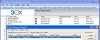
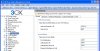
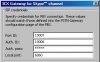
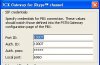
Please take a look at the attachment.
There is 10007 at 3CX.
So maybe I met a bug???
 

Attachments

  • skypegateway.jpg
    skypegateway.jpg
    109.7 KB · Views: 1,795
  • skypegateway.jpg2.jpg
    skypegateway.jpg2.jpg
    113.1 KB · Views: 1,794
ufgeorge said:
Please take a look at the attachment.
There is 10007 at 3CX.
So maybe I met a bug???
No, I don't think it's a bug, it would be the most common one, therefore found until now. But it's weird, 404-Not Found is definitely related to Port ID and/or Auth ID not matching the PBX ones - password mismatch get 403-Forbidden. I suggest you the following (quite unusual) test: if you have a phone available, try to register it to the PBX using the same credentials as the gateway channel and see if you get the same 404.
 
I use a phone as you suggest and config 10007 as login.
Yes, my phone shows the same 404 User unknown.
 
Vali_3CX said:
I suggest you the following (quite unusual) test: if you have a phone available, try to register it to the PBX using the same credentials as the gateway channel and see if you get the same 404.

I did try to use VoIP phone to login the 10007 username. And still the same 404.
Any suggestion?
 
No any further suggestion?
 
Have you tried the obvious of deleting the extension in 3CX and re-adding it. If it still doesn't work, try deleting the Skype Gateway entry and adding it again. If that still doesn't work, try uninstalling Skype gateway and reinstalling that. Another thing I would do is make sure you have the latest version of Skype.

I remember that that first time I tried to get it to work, I had to delete the Skype gateway entry and start again.
 
I do everyting I could do include delete port/delete skype pstn/uninstall skype gateway. None of them can make it work. Stull sip error 404.

Looks this won't work on my enviroment and no support can help on this...
 
ufgeorge said:
I do everyting I could do include delete port/delete skype pstn/uninstall skype gateway. None of them can make it work. Stull sip error 404.

Looks this won't work on my enviroment and no support can help on this...
C'mon, sounds very depressing :mrgreen:
If even phone doesn't register, then we will have to check PBX's log to see what's wrong and where.
Please do the following things:
- stop the Skype gateway.
- set the PBX to trace its logfiles in Verbose mode. For this, open its Management Console, then in Settings/Advanced, on the bottom side of the page, tick the Verbose option, then Apply, OK, and then restart 3CXPhoneSytem.
- start the Skype gateway until it reports not registered
- stop 3CXPhoneSystem
- add C:\Documents and Settings\All Users\Application Data\3CX\Data\Logs\3CXPhoneSystem.trace.log to a zip and post it here or, if contain some private data, send it to me by PM.

Regards
vali
 
ok, George, please check your PM.


Attachments

  • 10006.jpg
    10006.jpg
    164.8 KB · Views: 1,607
  • 10007.jpg
    10007.jpg
    164.9 KB · Views: 1,607
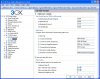
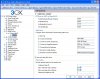
George, a Skype gateway channel configured as listed below will behave as in the tracelogs you sent me, the Auth ID 10006 is wrong and you will get 404 because it doesnt match the 10007 Authentication ID set in PSTN 10007 Skype-MAGG.
 

Attachments

  • SKYPERR.jpg
    SKYPERR.jpg
    20.4 KB · Views: 742
But my 3CX Skype configuration as below:


And also tracelog from Skype gateway also confirm it:
17:42:48:381 - Info : Sending registration request to PBX:
17:42:48:381 - Info : - display name: [3CX Gateway for Skype]
17:42:48:381 - Info : - user agent: [3CXSkypeGateway 2.0.9919.0]
17:42:48:381 - Info : - user: [10007]
17:42:48:381 - Info : - auth.ID: [10007]
17:42:48:381 - Info : - auth.pass: [10007]
17:42:48:381 - Info : - domain: [127.0.0.1:5060]
17:42:48:381 - Info : - proxy: [127.0.0.1:5060]
17:42:48:381 - Info : - transport: [0]
 

Attachments

  • 3cx.jpg
    3cx.jpg
    28.9 KB · Views: 741
weird :roll: PBX tracelog says clearly
reason
::Authenticate: Auth user 10007 doesn't match configured: 10006 for the line 10006
conclusion
::User unknown 10007 in 3CXPhoneSystem
I've got exactly this message trying to configure my gateway as I said before.
I will check
Regards
vali
 
Again, please check your PM.
 
We are not going to invest time on a 'local vendor' gateway as you call it.

We asked you to tell us the make and model of the gateway - does this have a name or what?
 
Status
Not open for further replies.

Forum statistics

Threads
112,327
Messages
591,903
Members
165,480
Latest member
Jake_Southern