Small issues after v20 upgrade

Status
Not open for further replies.

perfect-touch

Customer
Joined
Mar 26, 2020
Messages
167
Reaction score
37
1) Internal calls now only display the first name of the caller - it used to display first name and last name
2) Internal and external calls (ring group) now using the same ring tone - can anyone advise here if the alert-info string has changed?
 
What is used to answer the call regarding your questions and for the name display, please? Webclients, for example, display both first and last names,

2) There was never a feature for distinctive ringing for Ring groups. This is a feature for queues to have different ringtones per queue.
 
1) Yealink T4x/T5x series phones - not provisioned, manually configured. Again, on the day before the v20 upgrade, the Yealink's in their existing configuration displayed both names for internal calls - the day after the upgrade, just first name

2) I have run a pcap trace. Whilst accepting what you say, the external/internal calls had different ringtones prior to the v20 upgrade. I can see no alert-info in either internal or external calls to the device.

From other posts I've seen, it seems I'm not the only person with this issue - I think I'll have to rebuild with v18 and restore the pre-v20 backup... :(
 
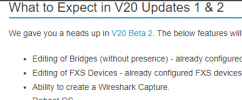
Hello everyone, I've recently upgraded to V20 and I'm finding the new admin console a bit daunting. I was very familiar with the old interface, but now I'm struggling to locate some features that were essential to me. On the previous dashboard, there was a 'number of calls in use' display, which allowed me to quickly see active calls. However, I'm having trouble finding it in the new layout. More importantly, I'm missing the 'Activity Log' feature on 3CX. This tool was crucial for capturing interface traffic, aiding in troubleshooting various issues with Wireshark. It streamlined the process, making it more efficient than setting up a span port. I've searched but haven't had any luck. Could someone kindly guide me on where to find these features in the new V20 console?
 
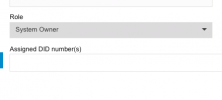
i lost my access after upgrading to v20 now please some assist me How do i regain access to management console as i did not have linked any email to my admin user but i do have a user extension with rights of System owner however upon loggin with the extension credentials i am being diverted to https://myurl.com/#/people. please assist what do i do
 
1) Yealink T4x/T5x series phones - not provisioned, manually configured. Again, on the day before the v20 upgrade, the Yealink's in their existing configuration displayed both names for internal calls - the day after the upgrade, just first name

2) I have run a pcap trace. Whilst accepting what you say, the external/internal calls had different ringtones prior to the v20 upgrade. I can see no alert-info in either internal or external calls to the device.

From other posts I've seen, it seems I'm not the only person with this issue - I think I'll have to rebuild with v18 and restore the pre-v20 backup... :(
You need to provision phones for feature to work, so not sure what you mean by manually configured.

Follow our guides please to provision your phones.
 
i lost my access after upgrading to v20 now please some assist me How do i regain access to management console as i did not have linked any email to my admin user but i do have a user extension with rights of System owner however upon loggin with the extension credentials i am being diverted to https://myurl.com/#/people. please assist what do i do
There is management console in v20 configuration is done via admin console logged in with users with appropriate roles assigned.
 

Attachments

  • Screen Shot 2023-12-17 at 1.02.37 am.png
    Screen Shot 2023-12-17 at 1.02.37 am.png
    8.4 KB · Views: 20
What exactly is it you need to do please?

Is there no an admin icon on the bottom left corner of the webclient from where you can access the admin consol?
 
I can't find the way to resend invitation email to the existing user in v20. Is it gone?
 
I can't find the way to resend invitation email to the existing user in v20. Is it gone?
This you can find under user section of the admin console.
 
I'd be happy to find it, but I can not.
v20-001.jpg
 
The tab tat states reset password :)
 
Thanks. It's not obvious that this tab sends email to user.
Also there were distinct "reset password" and "send invitation email" in v18 AFAIR.
 
You need to provision phones for feature to work, so not sure what you mean by manually configured.

Follow our guides please to provision your phones.

I mean they are configured in 3CX as generic devices - they are not using the auto-provision template. I'll tell you what, since no-one is acknowledging changed basic functionality in v20, I'll get a pcap of the v20 INVITE, rollback the PBX, restore the backup and take another pcap of the INVITE and post it... I cannot explain the changed behaviour other than changes in the INVITE string including the alert-info being missing - because the handset config has not changed but the ringtone for internal/external calls have...

Oh, and thank you solarian for hijacking my thread...
 
I mean they are configured in 3CX as generic devices - they are not using the auto-provision template. I'll tell you what, since no-one is acknowledging changed basic functionality in v20, I'll get a pcap of the v20 INVITE, rollback the PBX, restore the backup and take another pcap of the INVITE and post it... I cannot explain the changed behaviour other than changes in the INVITE string including the alert-info being missing - because the handset config has not changed but the ringtone for internal/external calls have...

Oh, and thank you solarian for hijacking my thread...
Please use supported provisioning methods other no support can be offered.
 
I provisioned a T48S via auto-provisioning this morning - same problem, no alert-info, no differentiated ringtones. Honestly Charles, I will test on a v18 - I'm getting lots of user complaints about the change - and I'm 95% certain they're correct that the behaviour has changed... :(
 
Hold everything....! :) It *IS* working but only when I delete/change the DID associated with the trunk and then I get the "call routing" option on the "Voice & chat" tab - it seems like something has gone wrong with the configuration during migration... I will run some further tests... :)
 
  • Like
Reactions: jed
Hello everyone, I've recently upgraded to V20 and I'm finding the new admin console a bit daunting. I was very familiar with the old interface, but now I'm struggling to locate some features that were essential to me. On the previous dashboard, there was a 'number of calls in use' display, which allowed me to quickly see active calls. However, I'm having trouble finding it in the new layout. More importantly, I'm missing the 'Activity Log' feature on 3CX. This tool was crucial for capturing interface traffic, aiding in troubleshooting various issues with Wireshark. It streamlined the process, making it more efficient than setting up a span port. I've searched but haven't had any luck. Could someone kindly guide me on where to find these features in the new V20 console?
number of calls - check it in panel, old display is gone.
wireshark - not yet in v20, hopefully coming soon.
1702923237562.png
 
I restored to v18u9. Caller display on Yealink devices has returned to displaying first name + last name as before - distinctive ringing for external calls now working again. INVITE to handset via ring group now contains "alert-info=external" for external calls and is absent for internal extensions calling ring group. Definitely seems to be a v20 "issue"
 
  • Like
Reactions: my13
Status
Not open for further replies.

Forum statistics

Threads
111,974
Messages
590,081
Members
164,899
Latest member
mazet