Solved SMS issues

Status
Not open for further replies.

Wdewitt

Silver Partner
Basic Certified
Joined
Mar 7, 2019
Messages
17
Reaction score
2
I have setup SMS with bandwidth, exactly as the instructions state. Bandwidth says everything is correct on their end. I can send from the web client to the recipient, no issues, I can not "receive" any texts. Nothing comes through and when I try and run the "test" in the 3cx Console I get the following error -

The PBX responded with 403 while expecting status code 200. Messages cannot be received until this issue is resolved.

I can't seem to locate anything else to change - below is my configuration page
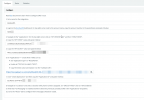
1618271174395.png
 
Hi @Wdewitt,

If the test button doesn't work, it makes sense that you're not receiving any incoming texts. Make sure that your HTTPS port is open and that your firewall isn't blocking any incoming traffic to the HTTPS port.
 
Last edited:
Yes. I have confirmed the https port (5001) is forwarded and I can access the console properly from the outside. Does the SMS use a different port?
 
Hi @Wdewitt

Can you please try once more following the guide step by step? Is the webhook URL correctly configured in your bandwidth account. If everything is correct, can you PM me your webhook URL so we can follow up?
 
I have gone through everything once again. Still the same error. I have sent the webhook in a PM to you.
 
Thank you, I'll update you as soon as possible.
 
We've checked our internal logs against your webhook, and it looks like we aren't getting any response from your PBX to our messaging gateway. Our gateway is sending a request, your PBX is not responding.

Unless your SMS test has been passed, you will not receive messages.


2021-04-15_11h10_15.jpg
 
That make sense, but I still can not get a test to go through. Is there an additional port I need to open? What IP would your request be coming from, is it possible that I have blocked the network it comes from? I have a LARGE ip Blacklist that blocks many ranges. I checked the 3cx.us and 3cx.com networks and I don't have those blocked. I still get the PBX not responding error
 
So if you have a firewall that does blocking, then you should also be able to log blocks. So I'd log blocks for traffic coming to/from the box, mash the test button and then you have your answer. Or let all traffic in/out from 3CX.
 
  • Like
Reactions: VasilisV_3CX
I finally deleted ALL entries from my IP Blacklist on the server and it is working!! Glad to have it working, but wish I could determine the IP block that it is being sent from to make a better solution.

THANK YOU for your time and effort on this!
 
  • Like
Reactions: VasilisV_3CX
Glad you've got this working @Wdewitt, I'm sure with further testing you'll be able to isolate the IP address and whitelist it. When you've found it, whitelisting the IP is an easy process.
 
Status
Not open for further replies.

Forum statistics

Threads
111,974
Messages
590,081
Members
164,899
Latest member
mazet