SMS option is not available when using VOIP.ms trunk

Status
Not open for further replies.

john.liu

Premier Customer
Joined
Aug 12, 2021
Messages
18
Reaction score
4
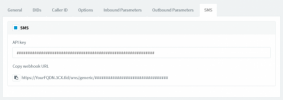
I tried to enable SMS on 3CX following instructions on https://wiki.voip.ms/article/3CX_Phone_System#Configuring_VoIP.ms_SMS.2FMMS_service_with_your_3CX.
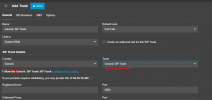
But when I tried to add Bearer Token to my VOIP.ms trunk on 3CX, the SMS option like in the following picture didn't exist at all.
1704419104824.png

I am using 3CX PRO cloud hosted, can anyone tell me why SMS option is not available?
Is it because VOIP.ms is not SMS supported by 3CX or 3CX hosted version is function limited?

Thanks in advance!
 
I tried to enable SMS on 3CX following instructions on https://wiki.voip.ms/article/3CX_Phone_System#Configuring_VoIP.ms_SMS.2FMMS_service_with_your_3CX.
But when I tried to add Bearer Token to my VOIP.ms trunk on 3CX, the SMS option like in the following picture didn't exist at all.
View attachment 38985

I am using 3CX PRO cloud hosted, can anyone tell me why SMS option is not available?
Is it because VOIP.ms is not SMS supported by 3CX or 3CX hosted version is function limited?

Thanks in advance!

IMG_4289.jpeg
 
The SMS tab on Voip.ms is still not available as we are still running tests on that. You will need to use the generic template if you want to do that now.
 
Thanks ConceptsWeb and YiannisH_3CX for your replies.
I have 3 VOIP.ms accounts on my single 3CX hosted PBX. Yesterday I deleted 1 of them and recreated it wishing SMS option will show up, but it didn't. Do I need to delete all 3 trunks and recreated all of them to make new template work? Will they use generic template or VOIP.ms template in this way?
And under my SIP Trunks page, besides 3 VOIP.ms trunks there are a default WebMeeting bridge and 2 SBC lines, do I have to remove and recreate them also to get new template? Is template chosen by 3CX automatically or there is an option to choose it manually?

Looking forward to your insights on this matter!
Thanks a lot!
 
There is no official support yet for SMS with Voip.ms. Once there is official support you will be able to use their template to add the trunks. No matter what you delete now will not make SMS show up in their template.
If you want to use SMS with VoIP,ms now then you need to delete the trunk and add them again but with the Generic Voip Provider template.
Do not delete anything else.
 
Thanks YiannisH_3CX for your insight.
It looks like I have to wait 3CX's official support on VOIP.ms since I am not sure if generic template will bring more unexpected problems than the current VOIP.ms template.
How can I find out in future if VOIP.ms has got an official support on SMS already?
 
  • Like
Reactions: Evolute IT
  • Like
Reactions: Evolute IT
How do I get the genetic template?
 
That worked. Thank you so much
 
Status
Not open for further replies.

Forum statistics

Threads
112,065
Messages
590,589
Members
165,019
Latest member
rsaldin@advancedbrainspin