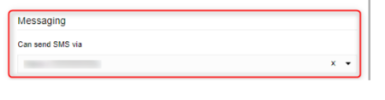
Please note that the SMS configuration, since V18 Update 5, has been moved to require an SMS-supported SIP Trunk configuration. However, the old and already created SMS configuration would have still been available under the messaging section of the management console.
In updates six and now 7, the messaging section within the management console has also been removed.
Please look at the guide
Here on configuring SMS.
Regarding the SMS option that was required to be configured under the extensions' settings t allow them to send SMS, it is no longer available or needed, as the SMS option is enabled by default for all extensions. The only prerequisite is that an SMS-enabled DID is pointing to a destination that the extension is part of; for example, Call queue, ring group, or extension group, the extension will be able to use that DID to initiate SMS conversations.
Additionally, under the extensions settings within an Admins webclient, there is a new section called Assigned valid DID number(s). If this is populated with a DID that is also SMS enabled, the extension will automatically use this DID to send SMS from, and an inbound rule will be created to route calls to the extension.
Although note that if there are multiple DIDs under the SMS-enabled trunk and there are inbound rules routing calls to destinations that the extension is a member of when composing SMS, the user will be given a choice of which DID to choose to send their SMS from.
One last point that needs to be made is that when you require to send calls to an IVR and SMS messages to another destination, this can now be achieved by an option found under the IVRs settings, found under an Admins WebClient> Call Handling section >Options tab.