Solved Softphone clients cannot login anymore "waiting for network"

Status
Not open for further replies.

mickeyr61

Free User
Joined
Sep 17, 2019
Messages
23
Reaction score
5
Everything was working ok, but some days ago I noticed that my (iPhone) softphones could not connect anymore to 3cx. I did not change any ports in my firewall (ports 5060, 5090 en 5001 are still open). When the phones are inside the local network, everything works fine. Just when a phone leaves the building, it cannot connect anymore. It gives the message "waiting for network". My first thoughts where that there is a conflict with my FQDN, but after pinging it, it returns a reply with my external IP address. As the iPhone does not seems to have a logfile, debugging is not easy.
 
Does this happen when using 3/4G and at a hotspot? Is it just the one phone you are testing, or do you have other devices to try?
You say it "doesn't work any more" so i assume it did previously. So what changed in the meantime?
 
Last edited:
I switched off the 4G network, and switched Wifi on, still no connection. Yes, there was a change. I had to restore the database because the hardware crashed. All settings where succesfully restored. But the the softphones still not working outside the office wifi. If there was a logfile on the softphones it would help a lot I think.
 
From the Management Console, try to re-send the Welcome eMail - it will reprovision the client(s) with the up-to-date PBX configuration, see if it solves the problem.
 
Thank you for your reply! I just (re) provisioned two softphones with the Welcome email, one running on Windows 10 and one on Apple iPhone. Just no luck. Maybe the Windows 10 client has a capability to read logfiles? Maybe it is a firewall issue, but I didn't change anything in the firewall. The ports 5001, 5060 en 5090 etc are open as usual.
 
You could also check on the Management Console if their IPs are not blacklisted.
 
Try rebooting the router, if case something is cached from the old 3CX setup.
 
Hi @mickeyr61 also please

- tell us the PBX version and App version (exact)

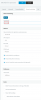
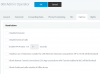
- also provide a screenshot of the extension's 3CX App provisioning like so:

12379
 
Try rebooting the router, if case something is cached from the old 3CX setup.

I rebooted the router and checked the blacklist, still no luck
 
Ok everything looks good so far, so if the tunnel port is open on the PBX firewall then the devices should be able to connect to it remotely via LTE or 3rd party Wi-Fi.

- If 5001 is open you will successfully be able to provision from an emailed QR code in the Welcome Email

- If 5090 is open you will successfully register and be able to call *888 (Callback Tester)


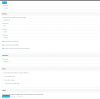
Also check the extension has not been blocked from using the tunnel:

12383
 
  • Port 5001 is open. I can connect to the management console (using the Wifi or LTE) Also the QR code is read succesfully
  • Port 5090 is open, when I run a port test (GRC). It says port 5090 Stealth, unknown protocol
  • Checked the extension options, they are not checked, so the client must be able to use them.
  • It still remains a mystery to me. If there was any logfile then it would help me investigating further into the issue.
 
If you are referring to the GRC ShieldsUP website, it will check using your PC's current public IP

Make sure this is the same IP as the 3CX public IP (seen in management console)
 
On both iPhone/ Android, you could use the following "trick" to troubleshoot the FQDN:
on a desktop machine, open the Management Console or Webclient to have access to an QR code image. Then on your Android/iPhone try to scan it using using the DEVICE's camera. Both Android/iOS will detect there is an URL and you will be prompted to open it in browser. If the browser cannot open it, definitely it's not the client's fault and you should focus on environment (correct/reachable FQDN, ports and so on, such networking stuff).
 
Try checking here ping.eu/port-chk/ and enter your FQDN with port 5090

Alternatively, you can disable the tunnel, and reprovision the phone just a test to see if it will work this way.
 
Ok,Solved! I found the problem (with your hints!). I was doing a portscan with ZenMap (v7.80) and found out that there where only three ports open. port 1720 and 5001 and 5091? I added 5090 and now every phone is registered! Don't know why port 5091 was there instead of 5090?

Thanks again!
 
  • Like
Reactions: Vali_3CX
Glad to hear it was resolved :)
 
Status
Not open for further replies.

Latest Posts

Forum statistics

Threads
111,933
Messages
589,817
Members
164,810
Latest member
astrobalaji