


- Joined
- Mar 6, 2020
- Messages
- 68
- Reaction score
- 18
We have a branch office that we need to incorporate into our 3CX system. They are too small to justify their own server in-house and will be merging over time with a neighboring office. We want to issue them with extensions from the main office, but are hitting a problem. Here's the networking setup.
Branch Office Sub-Net: 192.168.50.0/24
Main Office Sub-Net: 192.168.70.0/24
3CX Server IP: 192.168.70.21
There is a VPN tunnel in effect between the two offices. All ports and traffic are allowed down the tunnel, no restrictions at all. From the remote office the 3CX server can be pinged.
3CX is set up on the main office to use the internal IP for the 3CX server and 3cx.domain.com when outside of the office. The main office staff have no issues with softphones or the mobile app, the issue is with the remote office staff using softphones inside the remote office.
3cx.domain.com internal DNS is pointing at the internal IP for the 3CX Server.
3cx.domain.com external DNS points to the external public IP of the main office firewall then routes direct to the 3CX server.
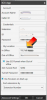
As I understand it, when 3CX softphone turns on it tries to reach the "In Office" IP or FQDN on the extension first. If successful, it communicates direct to the 3CX Server. If not, it goes to the "Out of Office" IP or FQDN.
However, in this case we are running a remote phone on an internal network. Calls to the ext DDI work, but calling from the ext to the outside world is hit or miss. We're getting a lot of "we are sorry your call could not be completed at this time." We're also seeing as lot of "aged-out" traffic on the firewall and I'm suspecting the traffic is arriving on the internal network connection and outbound is being sent out to the Internet.
If I change the "My Location" section in the 3CX App to the external public IP of the 3CX server in both In Office and Out of Office fields, calls work. I still have aged-out and incomplete packet errors on the firewall, but I can make calls. That isn't a viable long term solution as main office should use (and has for years) the internal IP for many reasons.
Really need to get this working reliably. Time for the cutover is getting close. Any ideas?
Branch Office Sub-Net: 192.168.50.0/24
Main Office Sub-Net: 192.168.70.0/24
3CX Server IP: 192.168.70.21
There is a VPN tunnel in effect between the two offices. All ports and traffic are allowed down the tunnel, no restrictions at all. From the remote office the 3CX server can be pinged.
3CX is set up on the main office to use the internal IP for the 3CX server and 3cx.domain.com when outside of the office. The main office staff have no issues with softphones or the mobile app, the issue is with the remote office staff using softphones inside the remote office.
3cx.domain.com internal DNS is pointing at the internal IP for the 3CX Server.
3cx.domain.com external DNS points to the external public IP of the main office firewall then routes direct to the 3CX server.
As I understand it, when 3CX softphone turns on it tries to reach the "In Office" IP or FQDN on the extension first. If successful, it communicates direct to the 3CX Server. If not, it goes to the "Out of Office" IP or FQDN.
However, in this case we are running a remote phone on an internal network. Calls to the ext DDI work, but calling from the ext to the outside world is hit or miss. We're getting a lot of "we are sorry your call could not be completed at this time." We're also seeing as lot of "aged-out" traffic on the firewall and I'm suspecting the traffic is arriving on the internal network connection and outbound is being sent out to the Internet.
If I change the "My Location" section in the 3CX App to the external public IP of the 3CX server in both In Office and Out of Office fields, calls work. I still have aged-out and incomplete packet errors on the firewall, but I can make calls. That isn't a viable long term solution as main office should use (and has for years) the internal IP for many reasons.
Really need to get this working reliably. Time for the cutover is getting close. Any ideas?


