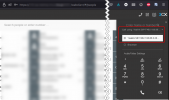
Start/stop recording from deskphone?

Status
Not open for further replies.

David_K

Bronze Partner
Basic Certified
Joined
Apr 3, 2019
Messages
198
Reaction score
27
Hello

Installed a 3CX Enterprise
Customer asks how to start/stop recordings from their IP desktphone.
Is ths possible?
Found the way from the softphone but not desk...
 
Not possible on the desktop, have to use the 3cx application - web, old client or new desktop app
 
  • Like
Reactions: ChrisC_3CX
Thanks @Saqqara

I don't understand why on a deskphone could not have that option.
I've sold the customer the possibility to stop recording using the Enterprise license, but I was not aware that desktphones has limitation over the other app.
I suppose the app themselves have other limitations the deskphone does not have.
But now I have no solution to give to the customer...

They use deskphone, I can't ask them to switch to app only to be able to stop recording
And it seems there's no way to use both at the same time (for instance picking a conversation on the deskphone and with the app opened on the same discussion being able to pause recording)
 
And it seems there's no way to use both at the same time (for instance picking a conversation on the deskphone and with the app opened on the same discussion being able to pause recording)
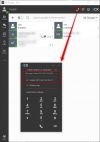
Who said this isn't possible? Of course it is. Use the WebClient or Desktop app, put it in CSTA mode and select your IP Phone.
Note that you need to log into the Webclient with the same extension that you have provisioned the IP Phone to:
1637241629659.png

Also the IP Phones need to be supported and of course, make sure there are no limitations for them for CSTA:
https://www.3cx.com/sip-phones/
 
Thanks @NickD_3CX but this is working for outgoing calls only?
What if the deskphone rings and the user just picks the call on the deskphone? Not working then?
 
Thanks @NickD_3CX but this is working for outgoing calls only?
What if the deskphone rings and the user just picks the call on the deskphone? Not working then?
Yes, it works then as well.
I urge you to try it.
 
OK I was testing with the Windows app, and there is no such option.
I have the option with the Web app.

So Deskphone is different than Web app, that is different from Windows app.
We just have to know that those are like 3 different products :)

I'll propose that solution to the customer but not sure they'll like it since it'll oblige them to log every morning to a browser session just to be able to pause the recordings.

What could be great would be to have the same experience everywhere : Deskphone, Win app , Web app, Mobile app.
 
Alternatively, you can install the Desktop App which also has the same functionality:
1637242794982.png

No browser session, so problem solved?
 
Restarted my Win app and it appears

I think it had some communication problems with my Yealink phone.
OK I'll propose the Win app, still better than having to stay connected to a browser session

Thanks
 
  • Like
Reactions: NickD_3CX
@NickD_3CX as discussed here, starting/stopping recording is not possible from a desktop IP phone.

Then you should tell the developers to change the text next to the option checkbox :

1637674766914.png
It says here "IP phone". For me an IP phone is a deskphone.
So if not possible to start/stop a recording from an IP Phone, they should not tell it so next to the checkbox.
 
  • Like
Reactions: Evolute IT
Some manufacturers of IP Phones have a "Record" button option for BLFs that did trigger the recording to start/stop. The only one I am aware of that used to work is Yealink.

There is a serious problem with doing this now though, if it does work, which I don't know if it does or not.
As this BLF option is not something that is provisionable from the Management Console, after 24h it will go away when the phone reprovisions.
If you remove the provisioning link to avoid this, then your phones will not longer pickup new information from the Management Console.
This is apart from the fact that you would have to set this option manually, or use a custom template.

The fact of the matter is, this label hasn't changed in many many many years and I think it holds from the time where 3CX didn't autoprovision the phones with templates, rather you had to do it manually.

I doubt this function is checked anymore and even if it works, I am pretty sure that the button indicator on the phone won't be "in sync" with what is actually happening.

You are right on one thing though, that shouldn't be there, I will propose it is removed.

I highly suggest you go with any of the previously mentioned solutions.
 
Yes I did deploy the Windows app.
But I've sold the Enterprise feature to my customer (with Yealink phones) based on what was written here.
Previously the customer had to use a Win app to start/stop recordings on their previous Aastra PBX and they really disliked it, they were happy not to have to use a Win app anymore.

So we get a little conflict when I told him that I was wrong, that they would have to do the same than with their old Aastra, since there is no such option in 3CX neither, even if said so on the checkbox,
 
Some friendly advice, when you see something in the software, but it is not mentioned anywhere in the manual, Academy or blog posts (recently, not a 5 year old blog post...), it might be better to either:
- Test it if you have the necessary equipment
- Ask your 3CX Sales Rep/Channel Manager
- Post a question on the forum

This can save you some frustration like what you described.
 
Yes I did deploy the Windows app.
But I've sold the Enterprise feature to my customer (with Yealink phones) based on what was written here.
Previously the customer had to use a Win app to start/stop recordings on their previous Aastra PBX and they really disliked it, they were happy not to have to use a Win app anymore.

So we get a little conflict when I told him that I was wrong, that they would have to do the same than with their old Aastra, since there is no such option in 3CX neither, even if said so on the checkbox,
To be honest, most modern PBX don't accept many features from deskphones. The goal is to ditch deskphones lol the apps work great and while having to use an app is not perfect, 3CX has an upcoming API which might give this ability, and thus would allow for custom templates to work with this.

I am unsure whether the Yealink's "Record" button works but I will try it with my T46S since I'm curious.
 
Status
Not open for further replies.

Forum statistics

Threads
111,974
Messages
590,083
Members
164,901
Latest member
Silent_Guru