STATUS SIP TRUNK

Status
Not open for further replies.

ToniGarcia

Forum User
Joined
Apr 8, 2022
Messages
55
Reaction score
5
Hi, I have made a SIP Trunk against another external PBX and it marks it green, but I don't really know if it is established, although it sets up an incorrect IP it is always green, how can I know that the trunk is established?

To be able to transfer calls to another PBX that does not have a bridge, is the way with SIP Trunk?


thank you
 
Hi there.
If your settings for "Type of authentication " are set IP-based, it will always be green as it is not checked for authentication.
 
  • Like
Reactions: ToniGarcia
Hi there.
If your settings for "Type of authentication " are set IP-based, it will always be green as it is not checked for authentication.
Thanks, it's correct, I have IP authentication configured, but I need to know somehow that the trunk is up.
 
If it's not registration "Register/account base" you won't know. Only using logs of the system/network captures.
 
  • Like
Reactions: ToniGarcia
If it's not registration "Register/account base" you won't know. Only using logs of the system/network captures.
thanks,
Where can I see the logs commented by system/network?

in activity log and events I have not seen anything
 
Couple of things you could do:
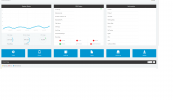
- in the Dashboard > Troubleshooting section > Connections, you can see if your Provider IP is there and connected
- to use 3CX System logs, you will need to get the support info file in verbose and then you binlog viewer tool.
- run networking Capture, use Wireshark and then filter with the IP of your provider
 
  • Like
Reactions: ToniGarcia
Couple of things you could do:
- in the Dashboard > Troubleshooting section > Connections, you can see if your Provider IP is there and connected
- to use 3CX System logs, you will need to get the support info file in verbose and then you binlog viewer tool.
- run networking Capture, use Wireshark and then filter with the IP of your provider

great, thank you very much for your help
 
  • Like
Reactions: OlegR_3CX
You are welcome.
Have a nice day
 
sorry, I have v18, I don't See Troubleshooting section / connections

1713438677140.png
 
Oh, i see, is because you are on V18 and I was referring to V20.
So in V18, you have a terminal (PBX Status section), where you can also run the commands.
If you open it, you can use the command: netstat -tun
or other netstat command
 
Thanks for the information, I have other links working that are not sip trunk, they are bridge and they do not appear with the netstat -tun and netstat command.
 
Oh yeah, it's because there's no state/status for UDP connections and the trunk uses UDP.
Use the other options.
 
I have downloaded the 3CXPhoneSystem.bldef log and there is no trace of the TRUNK that I created, I only have wireshark left, but I see that it is too cumbersome to only see the status of the trunk and possible errors.
 
If the System was verbose, you could use IP to filter with. Wireshark should show you also if the system if sending data and if the other end reply to it.
 
  • Like
Reactions: ToniGarcia
Okay, I also think that it should be easier to see this information, let's see if when we update to v20 we have clearer information.
 
It will be no difference there the moment you use IP-based trunks.
 
  • Like
Reactions: ToniGarcia
Status
Not open for further replies.

Latest Posts

Forum statistics

Threads
112,324
Messages
591,897
Members
165,475
Latest member
lastshadow