Solved straight to voicemail

Status
Not open for further replies.

eashton123

Trial User
Joined
Apr 23, 2018
Messages
6
Reaction score
1
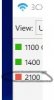
I have a phone polycom 335 going straight to voicemail. I have checked the webclient says available and dnd is off on the phone.
 

Attachments

  • Annotation 2020-09-10 101957.jpg
    Annotation 2020-09-10 101957.jpg
    24.5 KB · Views: 11
If it's ext 283 thats looks in DND state to me..

Try changing the status from MGMT console.
 
  • Like
Reactions: sbrammer
The status on the mgmt console shows as avaliable.
 
so just go in phone GUI to check if there's no forwarding setting to VM from phone itself
 
  • Like
Reactions: JohnS_3CX
These are the old, deprecated DND codes. Do not use them because it does not sync with changing your status via clients or via DND button on the phone. You will reject calls.

For now, just dial *60 to disable this type of DND and in the future just use the DND button on your phone, or the Status from our apps.
 
After carefully looking at your image, looks like the phone is in DND see below
View attachment 18047
Extension id DND
View attachment 18048

to Test and fix,
To specify DND (Do Not Disturb) for a particular extension: Dial *60 to set the extension to Do Not Disturb: OFF. Dial *61 to set the extension to Do Not Disturb: ON

https://www.3cx.com/community/threads/yealink-and-dnd.56773/#:~:text=To specify DND (Do Not,to Do Not Disturb: ON
Omg thank you so much that was correct answer. I didnt know the key combo for DND.
 
  • Like
Reactions: TBWD
Status
Not open for further replies.

Latest Posts

Forum statistics

Threads
111,962
Messages
589,993
Members
164,867
Latest member
swegner