Solved Teams certificate showing as expired

Status
Not open for further replies.
The Teams certificates you uploaded are in /var/lib/3cxpbx/Instance1/Bin/Cert/ .
Can you try running the command openssl x509 -enddate -noout -in <teams Cert PEM file> and tell me what the output is?
We ended up re-keying the cert and that resolved the issue.
 
Hello whe have this issue too. I have created and uploaded our Cert again. No Success....

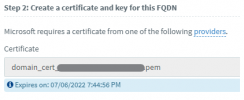
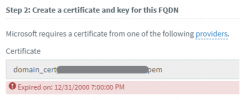
Meassage: Expired on 01.01.2021 01:00:00

Cert is valid until: 2022-07-29

please help!! Our Teamsconnection is now down untli it will be fixed!!!
 

Attachments

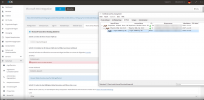
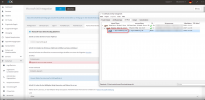
  • 2022-01-24_11h37_21.png
    2022-01-24_11h37_21.png
    347.7 KB · Views: 7
I would verify you are NOT using a wildcard certificate and would rekey, not just reload the certificate, if you are not using a wildcard cert. if it is a wildcard, it may work for a while but will stop. You will need to load a certificate that is specific to a certain domain, not a *.domain.com cert.
 
what do you mean with rekey? I have here a cert file and a Key file from the cert admin in our Company. Whe have only this wildcard cert for all services. There wars no problem until now with this cert. When i say to him that i need a non wildcard cert he will ask why, because it was ok until now. I see no tecnical reason why i must pay for an extra cert.....
 
  • Like
Reactions: Evolute IT
With the newest 3cx Update the issue is solved for us..

Thank You
 
  • Like
Reactions: NickD_3CX
Glad to hear that!

Update 3 makes a few more validations for the Certificate as well as accepting more formats of Private keys that are uploaded.

I will set this thread as 'Solved', but if someone is continuing to have problems after upgrading to V18 U3, please open a new thread in this forum category.
 
Status
Not open for further replies.

Members Online Now

No members online now.

Forum statistics

Threads
111,831
Messages
589,277
Members
164,660
Latest member
RJenkinsROCK