- Joined
- Oct 25, 2016
- Messages
- 25
- Reaction score
- 3
HI all,
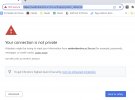
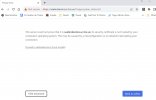
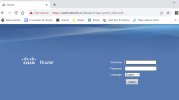
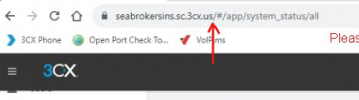
I'am having issues connection to the 3CX Management Console from the other computers deferent to the server, When I clicked desktop shortcut, It opens up a web page with my router page.
In the server everything is working very well, but outside of the server is no working, also I run the Firewall checker and say is ok on all the ports. the local extension connected are working and I'm able to do outgoing and receive any incoming calls, but those extensions located outside of the office are not working.
Any assistance to help resolve this will be much appreciated.
I'am having issues connection to the 3CX Management Console from the other computers deferent to the server, When I clicked desktop shortcut, It opens up a web page with my router page.
In the server everything is working very well, but outside of the server is no working, also I run the Firewall checker and say is ok on all the ports. the local extension connected are working and I'm able to do outgoing and receive any incoming calls, but those extensions located outside of the office are not working.
- 3CX Version, Standard Annual 18. update 8 Build 939
- Server OS, Windows 10 22H2 os build 1945.3448
- Is the 3CX Server Hosted and where? On-premises
- IP Phone Make/Model/Firmware version, Yealink T46s version 66.86.0.5
- Provisioning Method: Local / VPN / STUN
- Trunk Provider or VoIP Gateway Make/Model, VOIP.MS SIP-Trunk
- Has the Firewall Checker passed: YES
- Are custom Phone Templates being used: NO
Any assistance to help resolve this will be much appreciated.