- Joined
- Apr 4, 2022
- Messages
- 41
- Reaction score
- 6
Good afternoon, everyone.
We ran into a problem adding a second SIP Trunk to our system.
This is the only way it works for us at the moment:
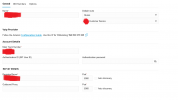
Default Route = Customer Service (direct forwarding from SIP Trunk to Customer Service)
In this trunk we have several city numbers.
Customer Service has its own DID with its own number in this Trunk. Also, the other DID numbers are assigned to employees.
If we remove this Default Route setting, the calls do not go to the DID numbers, but go directly to the Default Route.
Sip Trunk provider - have no idea why it might not work either.
We ran into a problem adding a second SIP Trunk to our system.
This is the only way it works for us at the moment:
Default Route = Customer Service (direct forwarding from SIP Trunk to Customer Service)
In this trunk we have several city numbers.
Customer Service has its own DID with its own number in this Trunk. Also, the other DID numbers are assigned to employees.
If we remove this Default Route setting, the calls do not go to the DID numbers, but go directly to the Default Route.
Sip Trunk provider - have no idea why it might not work either.